Macros Reference
This reference guide describes the macros available for use in Workflow Engine actions and the Payload Maps integration tile. See Configure Payload Mapping Rules for more information on mapping rules.
Macros allow values from the in-scope (target) CEvent object to be substituted into a workflow action or payload map when the action is executed or the payload map is generated. See Situation Manager Labeler for more information on labelling macros.
In the Rule field, use the format $<macro>(attribute). For example, $TO_INT(alert_id).
ACTION(cevent)
Substitutes the CEvent action as a value: one of create, update or close. This macro requires a value of cevent (for example, $ACTION(cevent)).
AVG
Returns the rounded average value of a list of numbers.
Usage:
AVG(<field_name>)CONTEXT_URL
The following macros create context-launchable URLs for alerts and Situations, which open an alert list or Situation Room for the in-scope alert or Situation:
ALERT_URLSIG_URL,SITN_URL,SITUATION_URL
These two macros behave slightly differently from the others because they do not use CEvent values as parameters.
Unlike other macros, these macros do not take object values as parameters. Instead, they take either:
A webhost name. For example,
myServer,https://myserver.A directive to read a configuration file to find a webhost. This is only valid if the local
servlets.conffile contains the correct webhost. If you have a distributed installation of Moogsoft Onprem, you must configure the webhost inservlets.confon the Core server.
Example 1
The following configuration provides a hardcoded webhost:
Name: MyHost
Rule:
$SITUATION_URL(https://myHost)
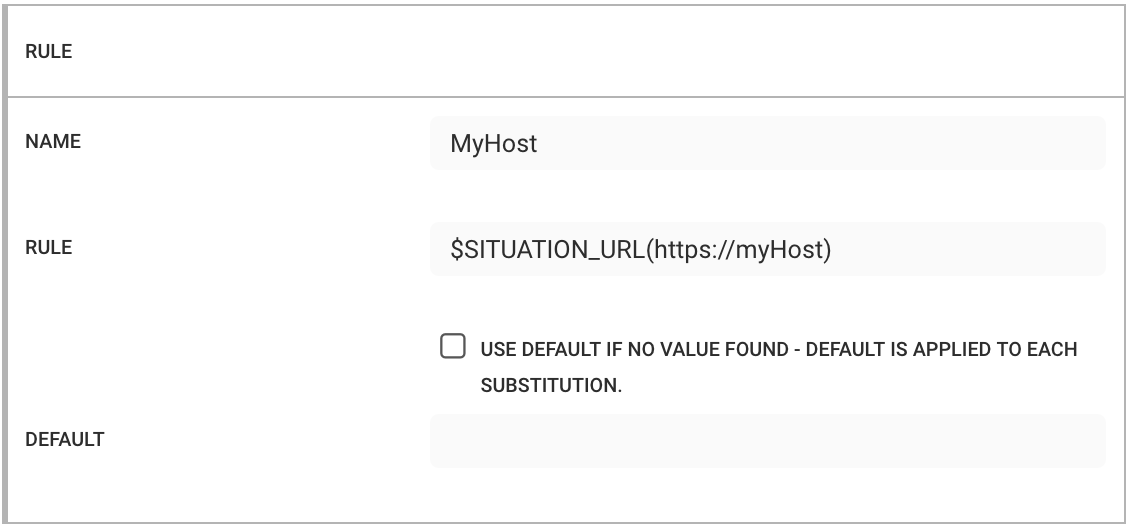 |
In this form, the rule uses the host name to construct the URL.
For a Situation with an ID of 30, this produces the following payload:
{
    MyHost: "https://myHost/#/situations?filtereditor=advanced&filter-query='id'=30",
}
Example 2
The following configuration uses the format $MACRO(config[filename][<attribute>]) to read the webhost from servlets.conf:
Name: MyConfig
Rule:
$SITUATION_URL(config[servlets.conf][webhost])
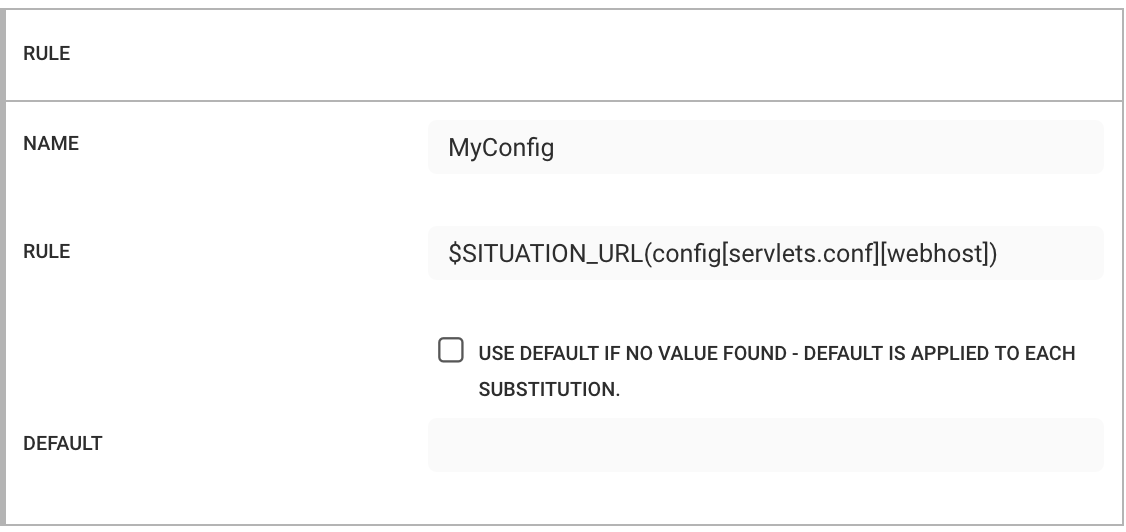 |
If the rule finds the attribute, it passes the attribute's value to the macro. You can use this format to read other values. For example, with $(config[moog_farmd.conf][config.threads]) would return "10".
For a Situation with an ID of 30, this produces the following payload:
{
    MyConfig: "https://moogga/#/situations?filtereditor=advanced&filter-query='id'=30"
}
EXPAND
Converts an enumerated value into the corresponding human readable string. Only works on specific alert and Situation fields. Any other field returns the original value.
Some alert and Situation fields require you to express them as numbers rather than a human readable string. One of the most common of these is severity. A severity of 5 indicates "Critical", 4 is "Major", and so on. When you construct a payload, it is useful to send data in this format instead of (or in addition to) the raw integer value.
The table below details the supported fields.
Field Name | Input Type | Expanded Value |
|---|---|---|
| Integer | Converts the numeric severity to the human readable value. For example "5" to "Critical". |
| Integer | Converts the numeric state to the human readable value. For example "9" to "Closed". |
| List of service IDs. For example, | Converts the list of impacted service IDs to a list of the service names. For example: |
| N/A | Expands to the name of the primary team. |
| List of process IDs. For example, | Converts the list of impacted processes to a list of the process names. For example: |
| List of team IDs. For example, | Converts the list of team IDs into a list of team names. For example: |
| Integer (user ID of the owner) | Converts the user ID of the owner to their username. |
| Integer (user ID of the owner) | Converts the user ID of the moderator to their username. |
| N/A | The top Probable Root Cause alert for the Situation returned from the |
Example
The following Situation payload map contains default input types:
{
    "id" : $TO_INT(sig_id),
    "severity" : $(internal_priority),
    "description" : "$(description)",
    "services" : $(services),
    "teams" : $(teams),
    "moderator" : $(moderator_id)
}
This produces the following payload:
{
    id: 23,
    severity: 5,
    description: 'Alerts with a similar description ',
    services: null,
    teams: [ 1 ],
    moderator: 2
}
To convert numerical values to human readable values, use the EXPAND macro:
{
    "id" : $TO_INT(sig_id),
    "severity" : $EXPAND(internal_priority),
    "description" : "$(description)",
    "services" : $EXPAND(services),
    "teams" : $EXPAND(teams),
    "moderator" : $EXPAND(moderator_id)
}
The relevant substitutions convert to the corresponding human readable values, so that the payload becomes:
{
    id: 23,
    severity: 'Critical',
    description: 'Alerts with a similar description ',
    services: [ 'email', 'network' ],
    teams: [ 'Cloud DevOps' ],
    moderator: 'admin'
}
EXPAND(primary_team_id)
The $EXPAND() macro was extended to convert a Situation’s primary_team_id to the corresponding team name. If there is no primary team set, a null or empty string value is returned.
EXPAND_AS_CSV
Converts an expanded value to a csv.
Example
EXPAND_AS_CSV has two operations: the EXPAND macro followed by a join on the result. It can be used when the receiver needs a string without the JSON artifacts.
Given the following rules in a Payload:
TeamsAsCSV : $EXPAND_AS_CSV(teams)
The resulting outbound payload value is:
{
     TeamsAsCSV: 'Cloud DevOps,test'
}
EXPAND_AS_STRING
Converts an expanded value to a string.
Note
An object will be stringified and contains the standard JSON artifacts (e.g. an Array of [ 1, 2, 3 ] converts to string. “[ 1, 2, 3]” with the enclosing []).
Example
EXPAND_AS_STRING has two operations: the EXPAND macro followed by a result stringification. It can be used when the payload receiver needs a string rather than the original JSON object.
Given the following rules in a Payload:
TeamsAsString : $EXPAND_AS_STRING(teams)
The resulting outbound payload value is:
{
    TeamsAsString: '["Cloud DevOps","test"]'
}
Note
The Array artifacts ( [ ] ) are not removed from EXPAND_AS_STRING.
FILTER
Removes empty fields "", empty objects {}, or empty lists [] from the $FULLNAME.
When no parameters are provided, fields, objects and lists are recursively searched for empty instances. If a list of keywords is provided, then the indicated items are searched and empty instances removed.
FIRST
Returns the first alphanumerically sorted item from a source list.
Example
Given a source list of:
myList: [ "d" , "g" , "h" , "a" , "z" ]
$FIRST(myList) returns “a”
Sorting is alphanumeric, so a list of mixed data types may produce unexpected results (such as where text and integer values exist in the same list).
FLATTEN
Converts a JSON object nested inside multiple levels to a single-depth key:value pair.
Keys to nested objects are concatenated using a dotted notation.
Values for all objects are either strings or integers; arrays values are stringified (converted to a string representation of the array).
Example
Given a deeply nested source object:
{
  "key1" : "value 1",
  "key2" : {
    "key4" : "value 4",
    "key5" : {
      "key6" : "value 6"
    }
  },
  "key3" : [ 1, 2, 3, 4, 5 ],
  "key7" : 99
}
The flattened target object is:
{
  "key1" : "value 1"
  "key2.key4" : "value 4",
  "key2.key5.key6" : "value 6",
  "key3" : "[1, 2, 3, 4, 5 ]",
  "key7" : 99
}
Note that key3 had an array as a value and, after flattening, this array is now a stringified version of the array.
FULLNAME
Returns a user's full name from a user_id or username.
Usage:
$FULLNAME(userid|username)
MAX
Returns the maximum value in a list of numbers.
Usage:
MAX(<field_name>)MIN
Returns the minimum value is a list of numbers.
Usage:
MIN(<field_name>)MODE
Returns the most common value in a list of numbers.
Usage:
MODE(<field_name>)PRC
Sets the highest PRC Alert in the Situation for the labeling or payload value. The getTopPrcAlert API call is used with a limit of 1 (the top PRC alert).
Example 1
To include the alert ID and description of the top PRC alert in the Situation description alongside the number of unique hosts:
$UCOUNT(source) hosts affected, Alert $PRC(alert_id) : $PRC(description) is the probable cause.
Which translates to the following JSON:
This produces the following Situation data:
{
    "id" : 47,
    "description" : "1 hosts affected, Alert : 126 : switch down is the probable cause."
}
You can extract values from the PRC alert and map them to the Situation's custom_info using the standard $MAP[ … ] syntax.
Adding attributes to the Situation custom_info:
PRC Alert attribute | Situation attribute |
|---|---|
|
|
|
|
|
|
$MAP[ $PRC(custom_info.supportGroup,prc.supportGroup) $PRC(alert_id,prc.alert_id) $PRC(description,prc.description) ]
The resulting Situation custom info would be as follows:
custom_info : {
    prc :
    {
        "alert_id"  : 129,
        "description" : "switch down",
        "supportGroup" : "Network Ops"
    }
}
Caution
Known issues:
Both the PRC Moolet and the Labeling Moolet run concurrently. This means the labeling process may complete before the Situation PRC calculation is available. This will be fixed in a future release
If necessary, you can do PRC labeling in the Workflow Engine. Use the
hasPRCAlertaction to checks a PRC alert in the Situation. Follow thehasPRCAlertaction with alabelSituationaction if true.If PRC is not running, or has not been trained, the Moogsoft Onprem substitutes blank values for the macro.
The standard $$ syntax is not necessary for either macro since they only return values from single alerts.
Example 2
The PRC macro can be used within a Payload integration map. The functionality and constraints (e.g. availability of PRC data) are the same as the Situation Labeler macros. However, the Payload macros must be nested.
Rules in a payload map are enclosed by $PRC(…). Other nested macros will be honored and substituted normally. This macro changes the in-scope object from the Situation to the top PRC or reference alert for that rule only (e.g. the switch is only applied to that rule not all rules). For example, an alert that has Situation Export use PRC alert details:
$PRC($EXPAND(severity))
Note
The PRC macro must entirely encapsulate the other rule macros, i.e. $PRC( must be the first character in the rule text.
Examples of misusing the PRC macro include:
$(sig_id) has PRC alert id $PRC(alert_id)
$PRC($(alert_id) is the PRC alert in $(sig_id))
In the second example, the sig_id attribute does not exist in the PRC alert, which produces a value of null.
Using the PRC macro alongside the standard macro set:
"rules": [
        {
            "name": "id",
            "rule": "$(sig_id)",
        },
        {
            "name": "severity",
            "rule": "$EXPAND(internal_priority)",
        },
        {
            "name": "prc_details",
            "rule": "$PRC($(alert_id) $(custom_info.supportGroup) $EXPAND(severity) )",
        }
    ]
Results in the following data being exported:
{
  severity: 'Major',
  refDescr: 'switch down',
  id: 51,
  reference_alertId: 136,
  prc_details: '136 Network Ops Major '
}
REF
Uses the reference alert in the Situation for the labeling or payload values. The getSituationVizualisation API call retrieves the current state of the alert associated with the referenced event.
Note
The reference alert retrieved is the current state of the alert rather than the state of the reference alert at the point of cluster creation. Stand de-duplication or other functions may have changed the alert from its original value (e.g. the severity or description may have changed as part of a workflow or de-duplication).
Example 1
Details of the reference alert id, class and type severity in the Situation description:
$UCOUNT(source) hosts affected, Alert $REF(alert_id) : a $REF(class) $REF(type) alert was the initiator of the Situation.
This produces the following Situation data:
}
    "id" : 49,
    "description" : "1 hosts effected, Alert : 132 : a network availability alert was the initiator of the Situation."
}
You can extract values from the reference alert and map them to the Situations custom_info using the standard $MAP[...} syntax.
Adding to Situation custom_info:
PRC Alert attribute | Situation attribute |
|---|---|
|
|
|
|
|
|
|
|
|
|
$MAP[$REF(custom_info.supportGroup,ref.supportGroup) $REF(alert_id,ref.alert_id) $REF(description,ref.description) $REF(class,ref.class) $REF(type,ref.type)]
Resulting Situation custom info:
custom_info : {
    ref :
    {
        "alert_id" : 136,
        "class" : "network",
        "description" : "switch down",
        "supportGroup" : "Network Ops",
        "type" : "availability"
    }
}
Example 2
The REF macro can be used within a Payload integration map. The functionality and constraints (e.g. availability of REF data) are the same as the Situation Labeler macros. However, the Payload macros must be nested.
Rules in a payload map are enclosed by $REF(…). Other nested macros will be honored and substituted normally. This macro changes the in-scope object from the Situation to the top REF or reference alert for that rule only (e.g. the switch is only applied to that rule not all rules). For example, an alert that has Situation Export use REF alert details:
$REF($TO_INT(alert_id))
Note
The REF macro must entirely encapsulate the other rule macros, i.e. $REF( must be the first character in the rule text.
Examples of misusing the REF macro include:
$(sig_id) has REF alert id $REF(alert_id)
$REF($(alert_id) is the REF alert in $(sig_id))
In the second example, the sig_id attribute does not exist in the REF alert, which produces a value of null.
Using the REF macro alongside the standard macro set:
"rules": [
        {
            "name": "id",
            "rule": "$(sig_id)",
        },
        {
            "name": "severity",
            "rule": "$EXPAND(internal_priority)",
        },
        {
            "name": "refDescr",
            "rule": "$REF($(description))",
        },
        {
            "name": "reference_alertId",
            "rule": "$REF($TO_INT(alert_id))",
        }
    ]
Results in the following data being exported:
{
  severity: 'Major',
  refDescr: 'switch down',
  id: 51,
  reference_alertId: 136,
  prc_details: '136 Network Ops Major '
}
SEVERITY
Replaces an integer severity value with the textual value, such as when given an alert with a severity of 5, a macro substitution of $SEVERITY(severity) would return “Critical.” This is the same as $EXPAND(severity).
Example
$Severity(5): Converts the value "5" to "Critical."
TO_BOOLEAN
Use this macro to force a native Boolean value to be added to the payload. For example, if custom_info.isBranch has a value of "true", use the following rule.
Maps from the following strings: "true", "false", "yes", "no", "0", "1".
Maps from the following integers: 0, 1.
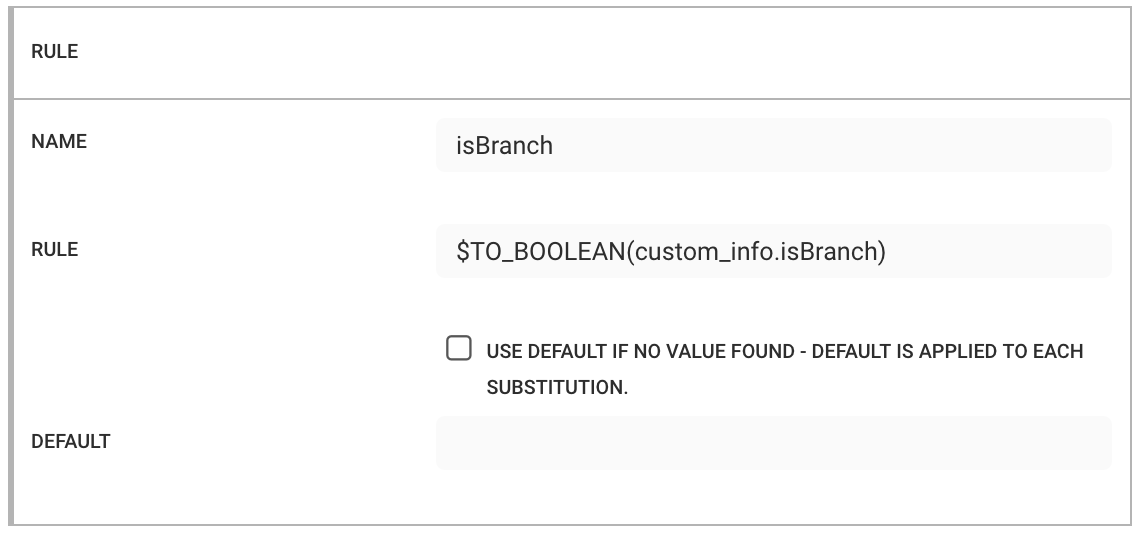
Example
Name: isBranch
Rule:
$TO_BOOLEAN(custom_info.isBranch)
Converts the string isBranch with a value of "1" to true:
{
    isBranch: true
} |
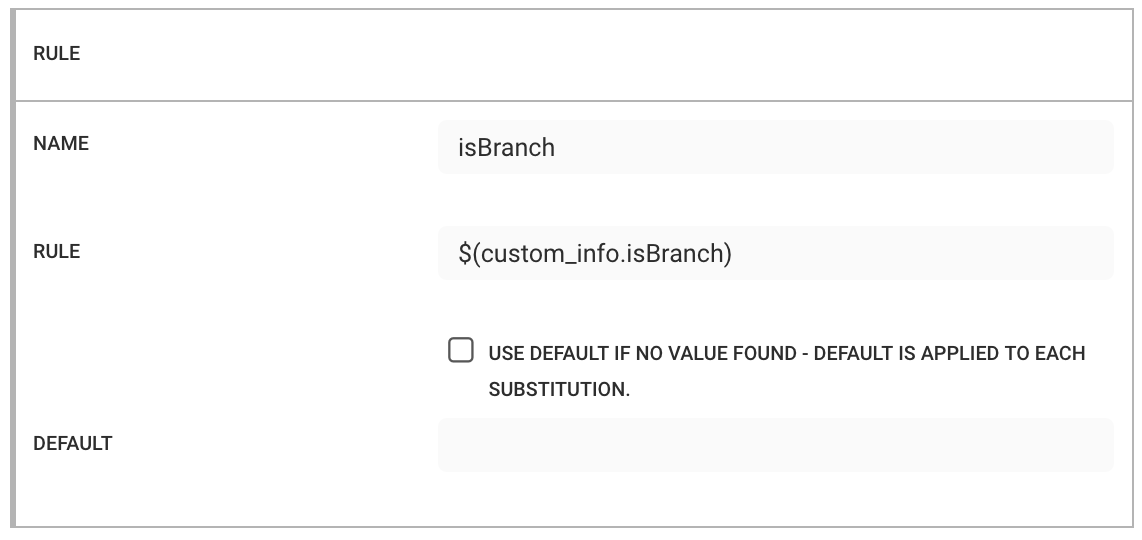 |
would produce the following payload:
{
  alert_id: 101,
  severity: 5,
  description: 'switch down',
  location: { country: ' UK', city: 'London' },
  isBranch: 'true'
}
In this case, "isBranch" is treated as a string.
Using the $TO_BOOLEAN() macro converts it to a boolean value:
{
  alert_id: 103,
  severity: 5,
  description: 'switch down',
  location: { country: ' UK', city: 'London' },
  isBranch: true
}
Native boolean values do not require this macro. However, it is safe to use when the value type is uncertain.
Boolean values (true or false) are mapped from the strings "true", "false", "yes", and "no", as well as the string and numeric values 0 and 1.
TO_DATE
Converts an epoch time, or any number, to an ISO format date.
Example
Example 1:
Name: Date
Rule:
$TO_DATE(first_event_time)
Example 2:
Name: FirstOccured
Rule:
$TO_INT(first_event_time)
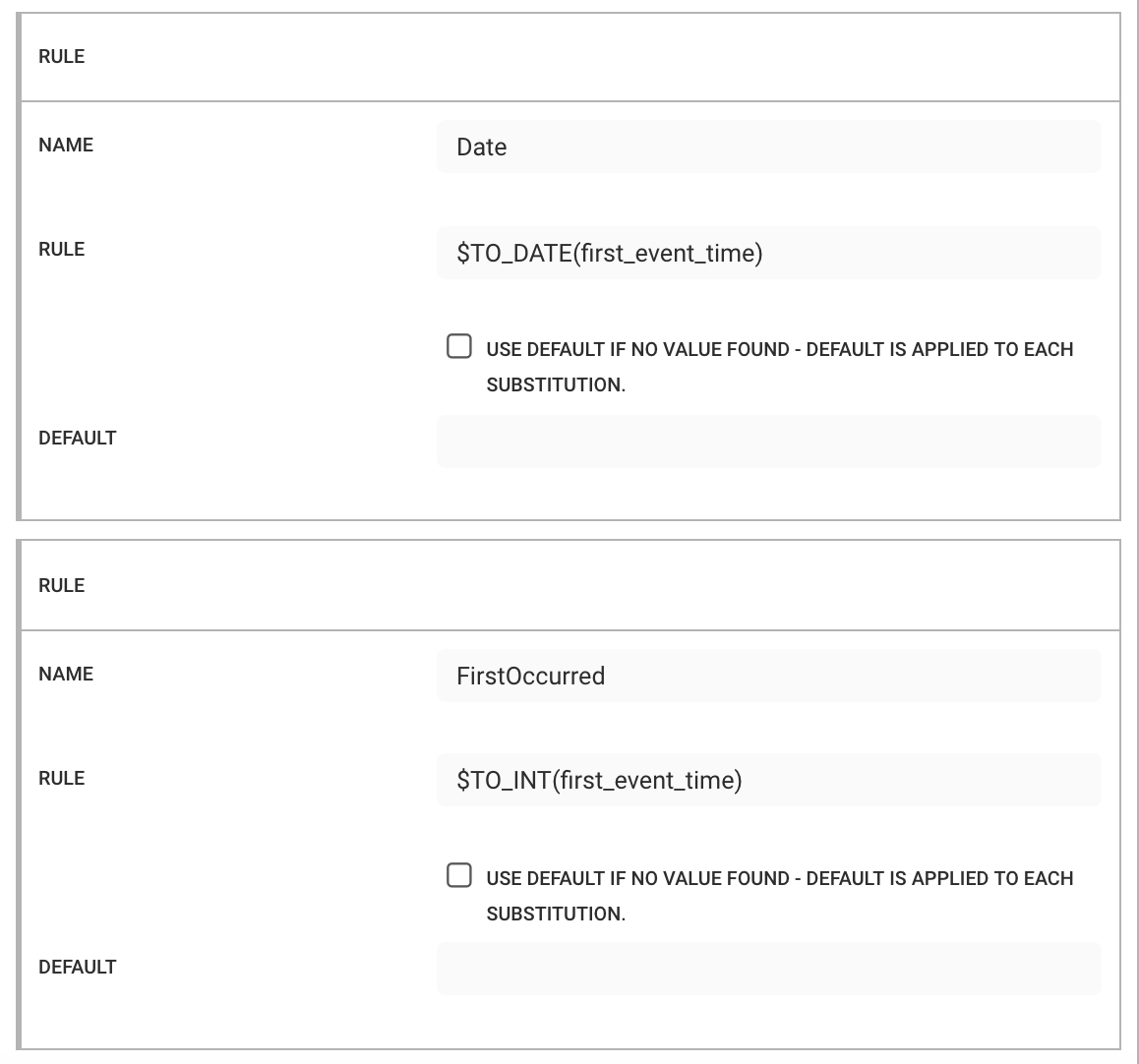 |
Converts a first_event_time of 1582020352 to a human readable string:
{
    "Date": "2020-02-18T10:05:52.000Z",
    "FirstOccurred" : 1582020352
}
TO_FLOAT
Ensures a floating point payload value is sent as a floating point (for example: entropy).
TO_INT
Converts a strings value to an integer. You can use this macro to convert alert or Situation IDs, severities, or timestamps.
Example
Name: AlertID
Rule:
$TO_INT(alert_id)
Converts an alert_id of "99" to 99:
{
    AlertID : 99
}
TO_JSON
This is the only macro that can contain other macros. Nesting any other macro is not supported.
This macro operates on the final substituted string and attempts to convert it to a JSON object. Use it to create a final object from other CEvent values, such as a compound or constructed object.
Example 1
Your receiving system expects an object that contains the following details:
A top level object of
alert_id,severity, anddescription.A location object which contains the city and country associated with the alert (taken from enrichment data held in custom info).
Set the following for the top level object:
Name: alert_id
Rule:
$TO_INT(alert_id)Name: severity
Rule:
$TO_INT(severity)Name: description
Rule:
$(description)
{
  "alert_id" : $TO_INT(alert_id),
  "severity" : $TO_INT(severity),
  "description" : $(description),
  "location" : {
      "city" : $(custom_info.location.city),
      "country" : $(custom_info.location.country)
  }
}
You do not need to perform any additional conversion on the top level object. However, you must configure the location object as a valid JSON object and not a string.
If the following rule is used:
Name: location
Rule:
{ "city" : "$(custom_info.location.city)", "country" : "$(custom_info.location.country)" }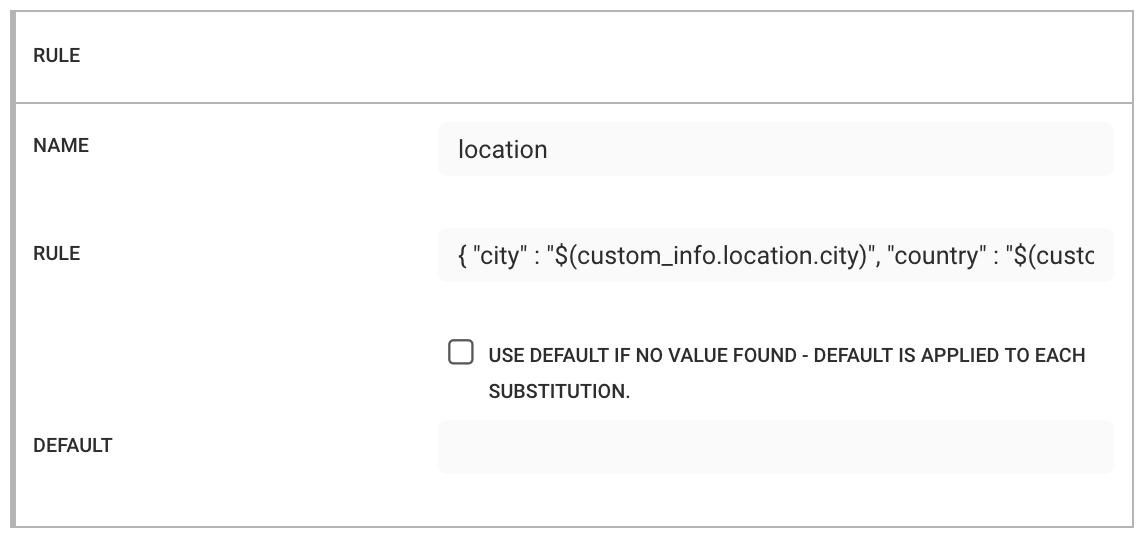
The resulting payload will appear as follows:
{
  alert_id: 91,
  severity: 5,
  description: 'switch down',
  location: '{ "city" : "London", "country" : "UK" }'
}
Set the following. Note that you must enclose compound or constructed objects in braces "{}" or square brackets "[]":
Name: location
Rule:
$TO_JSON({ "city" : "$(custom_info.location.city)", "country" : "$(custom_info.location.country)" })In this case, the value of location is a string instead of an object, which may cause the receiving system to reject the data.
To convert the value to a JSON object, enclose the rule within the
$TO_JSON()macro.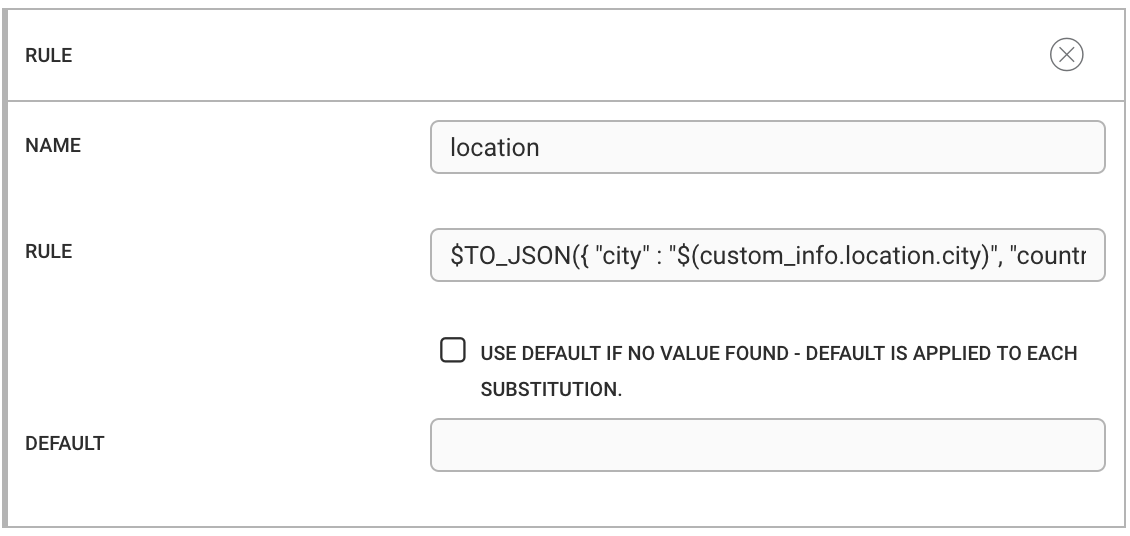
This macro takes the final fully substituted value and attempts to convert it into a JSON object using the standard JavaScript
JSON.parse()function.Using the amended rule shown above results in a payload that contains a valid JSON object within the payload object.
{
    alert_id: 92,
    severity: 5,
    description: 'switch down',
    location: {
        city: 'London',
        country: 'UK'
    }
}
These rules take the final values the macro substitutes, and uses the standard JSON.parse() JavaScript function to convert the values to a JSON object.
Example 2
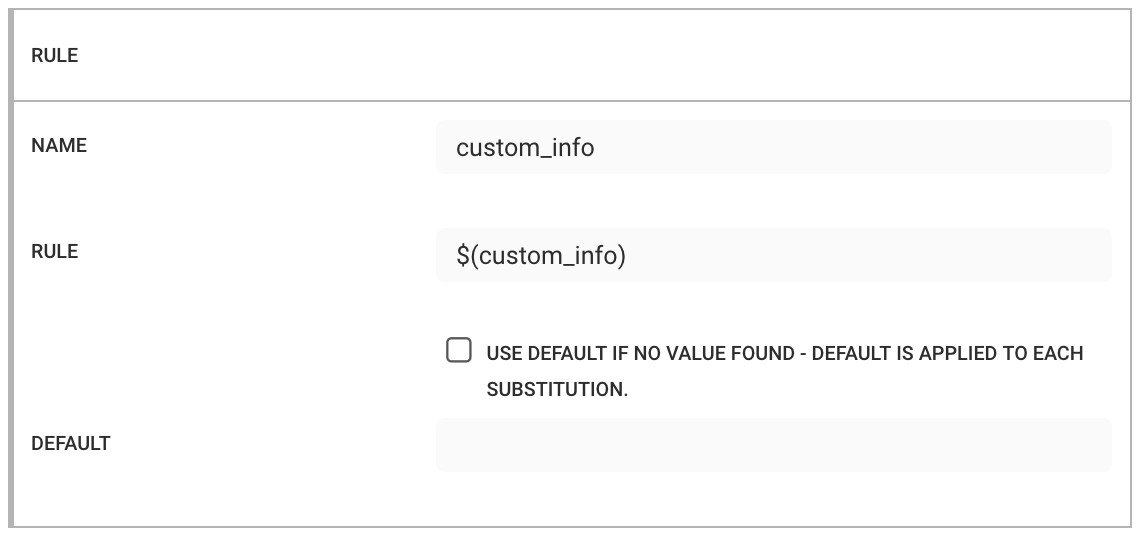
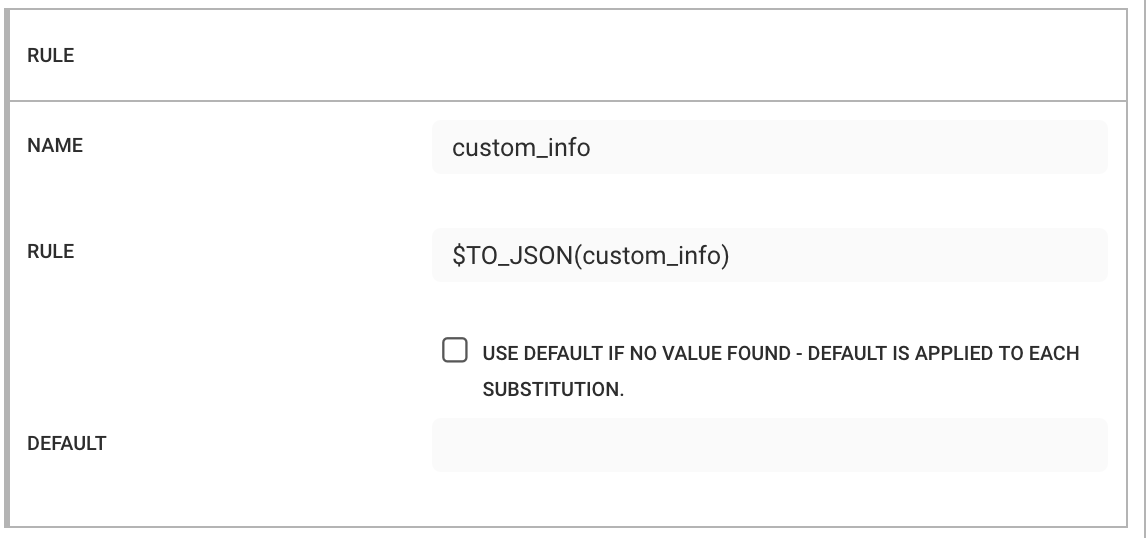
You typically use TO_JSON to create compound or constructed objects, and you do not need to convert values that are already objects. For example, $custom_info and $TO_JSON(custom_info) produce the same result. However, you can also use this macro to create key:value pairs and lists.
 |
 |
For example, you want to produce the same top level object as Example 1, but this time you want to create a list (array) from the location data. Set the following:
Name: location
Rule:
$TO_JSON([ "$(custom_info.location.country)" , "$(custom_info.location.city)" ])
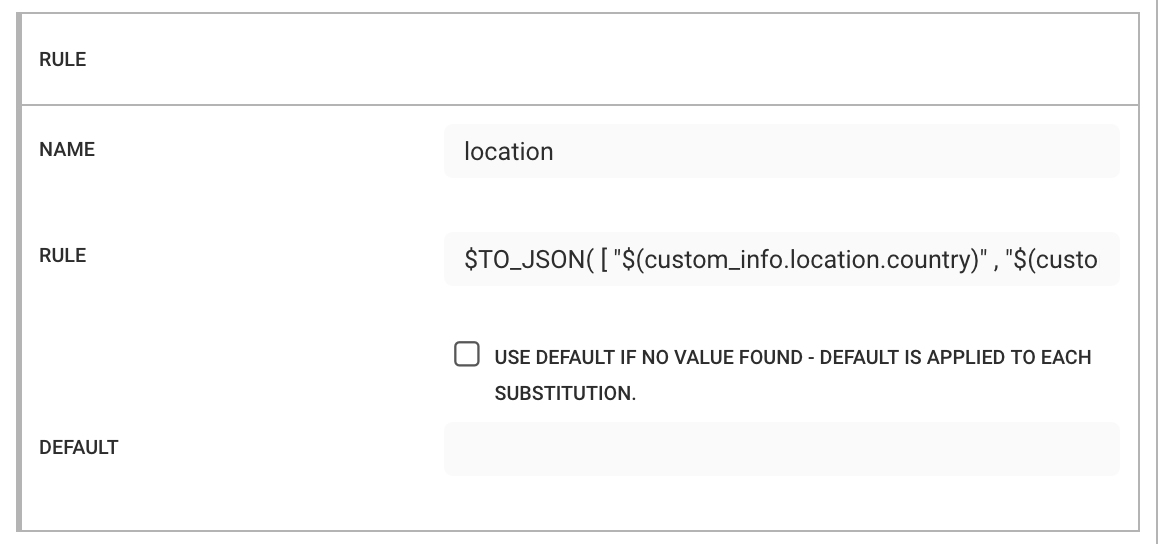 |
This produces the following payload:
{
    alert_id: 97,
    severity: 5,
    description: 'switch down',
    location: [ 'UK', 'London' ]
}
Caution
Ensure that values are enclosed in quotation marks so that the final string can be parsed as valid JSON. For example:
$TO_JSON( [ $(custom_info.location.country) , $(custom_info.location.city) ])
In this example, the array items are not enclosed in quotation marks. As a result, the generated string is not valid JSON and the conversion fails.
Example 3
TO_JSON allows you to nest macros within it. This allows you, for example, to add timestamps to your object. Set the following:
Name: timings
Rule:
$TO_JSON( { "first" : "$TO_DATE(first_event_time)", "last" : "$TO_DATE(last_event_time)" })1
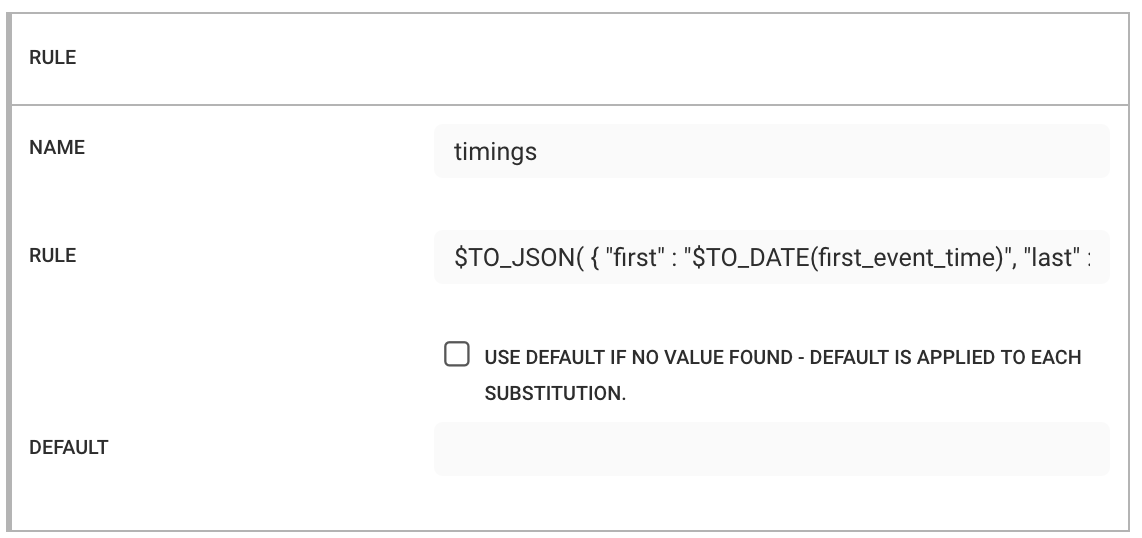 |
With the same top level object as Example 1, this produces the following payload:
{
    alert_id: 99,
    severity: 5,
    description: 'switch down',
    location: { country: 'UK', city: 'London' },
    timings: {
      first: '2020-02-18T11:10:00.000Z',
      last: '2020-02-18T11:11:30.000Z'
    }
}
Any valid macro can be used within the $TO_JSON() macro, with the exception of $TO_JSON() itself.
Caution
The $TO_JSON() macro must be the outermost (enclosing) macro.
The $TO_JSON() macro must be the enclosing macro. In other words, a rule must start with “$TO_JSON(“ and the last a “)”.
For example:
$TO_JSON( { "first" : "$TO_DATE(first_event_time)", "last" : "$TO_DATE(last_event_time)" }) )Valid:
This is an object $TO_JSON({ "first" : "$TO_DATE(first_event_time)", "last" : "$TO_DATE(last_event_time)" })results in the following:
This is an object $TO_JSON({ "first" : "$TO_DATE(first_event_time)", "last" : "$TO_DATE(last_event_time)" })In this case, the substitutions are performed, but the $TO_JSON() macro is not executed because it does not enclose the entire rule.
TO_LIST
Converts a non-expanded array to a csv.
Example
TO_LIST joins the value without any expansion.
Given the following rules in a Payload:
TeamsAsList : $TO_LIST(teams)
The resulting outbound payload value is:
{
    TeamsAsList : '[1,2]'
}
TO_LOCALE_DATE
Converts a epoch date to the locale data string.
Usage:
TO_LOCALE_DATE(<field_name>)TO_STRING
Converts an array, object, number, or boolean, to a string.
Example
Name: Severity
Rule:
$TO_STRING(severity)
Converts a severity value of 5 to "5":
{
    Severity: "5"
}
Note
If you are already using the TO_JSON macro or another compound value macro, do not use TO_STRING. Quote the value you need. For example, $TO_JSON( { "alert_id" : "$(alert_id)" }), as opposed to $TO_JSON( { "alert_id" : $TO_STRING(alert_id) })
For example, if the desired output is:
{
  "alert_id" : "1234"
}
The value would be “$(alert_id)” i.e. quoted macro.
$TO_JSON( { "alert_id" : "$(alert_id)" })Similarly, if the desired output is:
$TO_JSON( { "alert_id" : $TO_STRING(alert_id) })
Similarly, if the desired output is:
This is the severity "5"
Use the following rule:
This is the severity "$(severity)"
Do not use:
This is the severity $TO_STRING(severity)
TOP
Return the most common value in a list of strings.
Usage:
TOP()
TYPE(cevent)
Substitutes the CEvent type as a value: one of event, alert or Situation. This macro requires a value of cevent (for example, $TYPE(cevent)).