findMasterAlert
A Workflow Engine function that uses one of the methods defined in the Master Alert Selector Workflow Integration tile to determine the master alert for the triggering (in-scope) Situation. This action accepts a single parameter: the method name.
If a master alert is found, it is copied to the Workflow Context as a JSON object under workflowContext.master_alert, allowing subsequent workflow actions to access the master alert values (for example, when copying values to the Situation’s custom_info or including them in payloads).
If the selected method has Allow the master alert to be changed set to false, the master_alert_id is copied to custom_info.mooghandling.master_alert_id. Subsequent executions of findMasterAlert use this ID to retrieve the master alert details instead of recalculating the master alert.
This alert_id can be removed using the unsetMasterAlert workflow action (or the corresponding right-click tool).
This function is available as a feature of the Add-ons v2.7 download and later.
This function is available for Situation workflows only.
Back to Workflow Engine Functions Reference.
Arguments
Workflow Engine function findMasterAlert takes the following arguments:
Name | Required | Type | Description |
|---|---|---|---|
| yes | string | The method name used to determine the master alert. Methods are defined in the Master Alert Selector Workflow Integration tile. |
Example
The following example demonstrates typical use of Workflow Engine function findMasterAlert.
To determine a master alert using the Severity method and use its details in a subsequent REST payload:
Define a workflow in Situation Workflows.
Add a suitable entry filter, if required, to ensure the correct master alert selection method is used for the appropriate type of Situation.
Add the following workflow actions:
findMasterAlert
methodName: "Severity"
getPayload
Payload maps can contain substitutions for $(workflowContext.master_alert).
mapName: The name of the payload map.
copyToPayload
Use this action if the payload map does not contain master alert substitutions. Values can be copied from the workflow context into the payload.
payloadKey: master_alert_idvalue: $TO_INT(workflowContext.master_alert.alert_id)
After these actions run, the payload context contains both the master_alert (as a JSON object) and a payload object populated with values from the master alert through the copyToPayload function, similar to the example below.
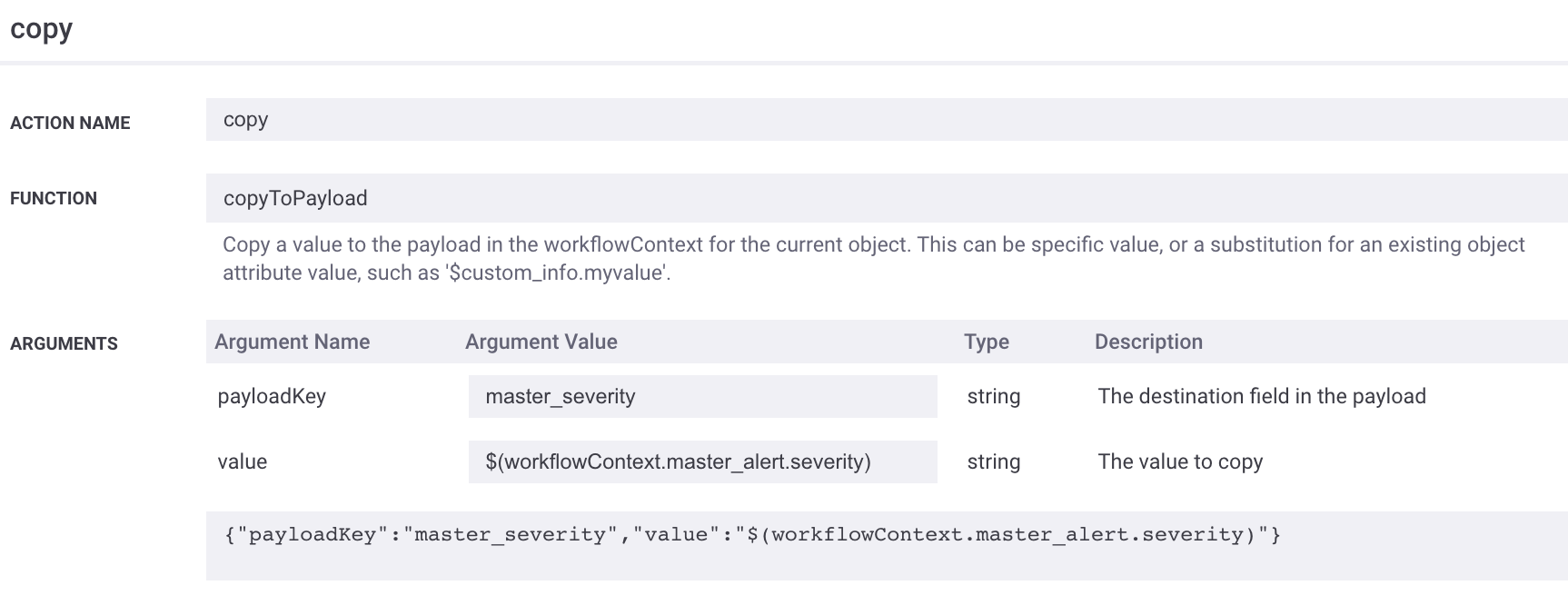 |
And payload substitutions can be performed using Payload Maps:
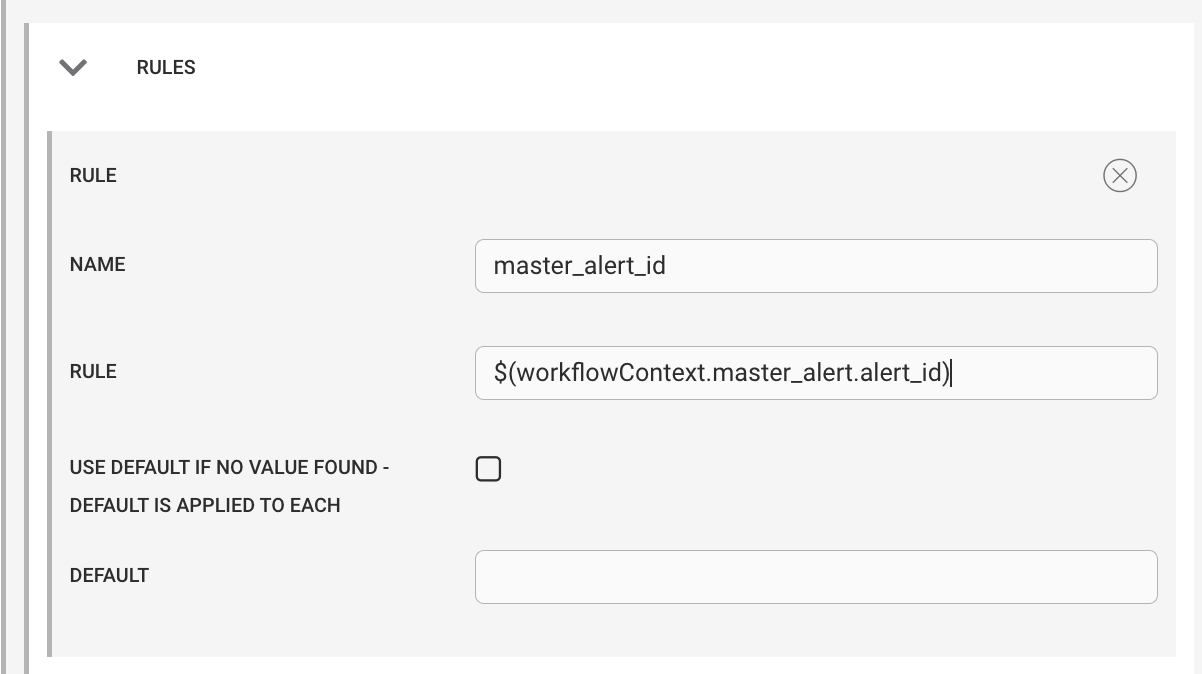 |
{
    "master_alert": {
        "active_sig_list": [
            738
        ],
        "agent": "RESTLAM",
        "agent_location": "rest_test.js",
        "alert_id": 42783,
        "class": "bgp",
        "count": 1,
        "custom_info": {
            "topology": "bgp",
            "sink": "XYZ",
            "source": "ABC"
        },
        "description": "a",
        "entropy": 0,
        "event_id": 159947,
        "external_id": "",
        "first_event_time": 0,
        "int_last_event_time": 1680789266,
        "last_event_time": 0,
        "last_state_change": 1680789266,
        "manager": "RESTLam1",
        "owner": 2,
        "rc_probability": null,
        "severity": 4,
        "sig_list": [
            738
        ],
        "signature": "e0e1b65c-ea3b-495e-ada9-e1b2e776271e",
        "significance": 0,
        "source": "a",
        "source_id": "rest Test",
        "state": 2,
        "type": "RestTest"
    },
    "payloads": {
        "738": {
            "master_alert_id": "42783",
            "descr": "Topology - bgp",
            "master_descr": "BGP neighbor fail",
            "master_severity": 4
        }
    }
}