deleteMaintenanceWindow
A Workflow Engine function that deletes any maintenance windows (past, current, or future) that match the specified filter. The filter is used to locate maintenance windows and is not the scope filter used in the maintenance window, nor a filter for identifying impacted alerts.
Refer to the MoogDb findMaintenanceWindows for details on the filter parameter.
When a maintenance window is deleted, all alerts affected by it are no longer marked as in maintenance.
Given the following action configuration:
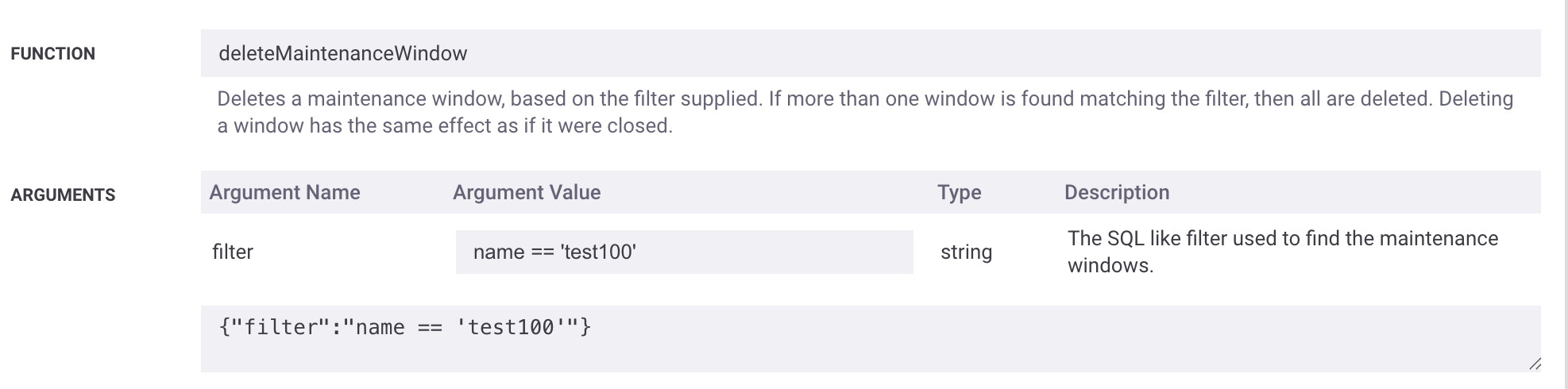 |
A maintenance window called "test100" would be deleted.
Situation Inform Engine::deleteMaintenanceWindow: Action will be performed on 1 cevent objects|+
Situation Inform Engine::deleteMaintenanceWindow: Trying to find maintenance windows with a filter of : name == 'test100'|+
Situation Inform Engine::deleteMaintenanceWindow: Found 1 windows in scope of filter name == 'test100'|+
Situation Inform Engine::deleteMaintenanceWindow: Attempting to delete maintenance window id : 41|+
Situation Inform Engine::deleteMaintenanceWindow: Deleted all targeted maintenance windows|+
Situation Inform Engine::deleteMaintenanceWindow: Exiting action with a status of true|+
The use cases for this function include:
Delete a maintenance window as part of an externally triggered workflow (for example, through a sendToWorkflow API call).
Delete a maintenance window when a specific alert is received, such as an alert indicating that a change period has ended.
In this scenario, the filter is expected to use substitution values.
This function is available as a feature of the Add-ons v2.7 download and later.
This function is available for event, alert, and Situation workflows.
Back to Workflow Engine Functions Reference.
Arguments
Workflow Engine function deleteMaintenanceWindow takes the following arguments:
Name | Required | Type | Description |
|---|---|---|---|
filter | yes | string | The filter used to select the maintenance window(s) to delete. |
Example
The following example demonstrates typical use of Workflow Engine function deleteMaintenanceWindow.
When a "Node rebooting for maintenance" alert is received, a maintenance window can be dynamically created using the createMaintenanceWindow WFE action. The maintenance window may be configured with an extended duration to accommodate an unknown reboot completion time.
After the reboot is complete, a "Node reboot complete" alert can be generated.
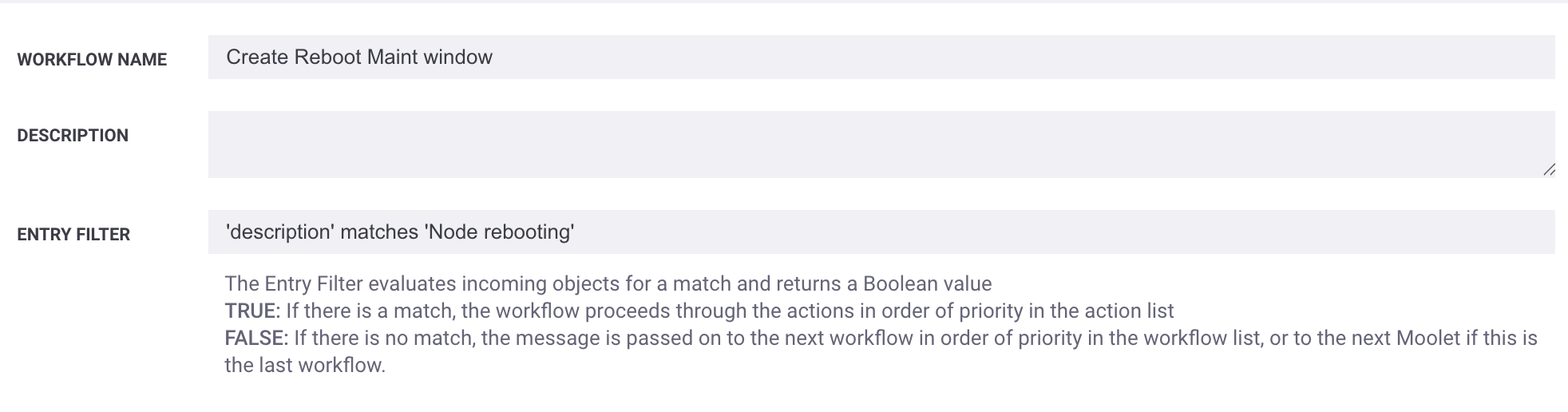
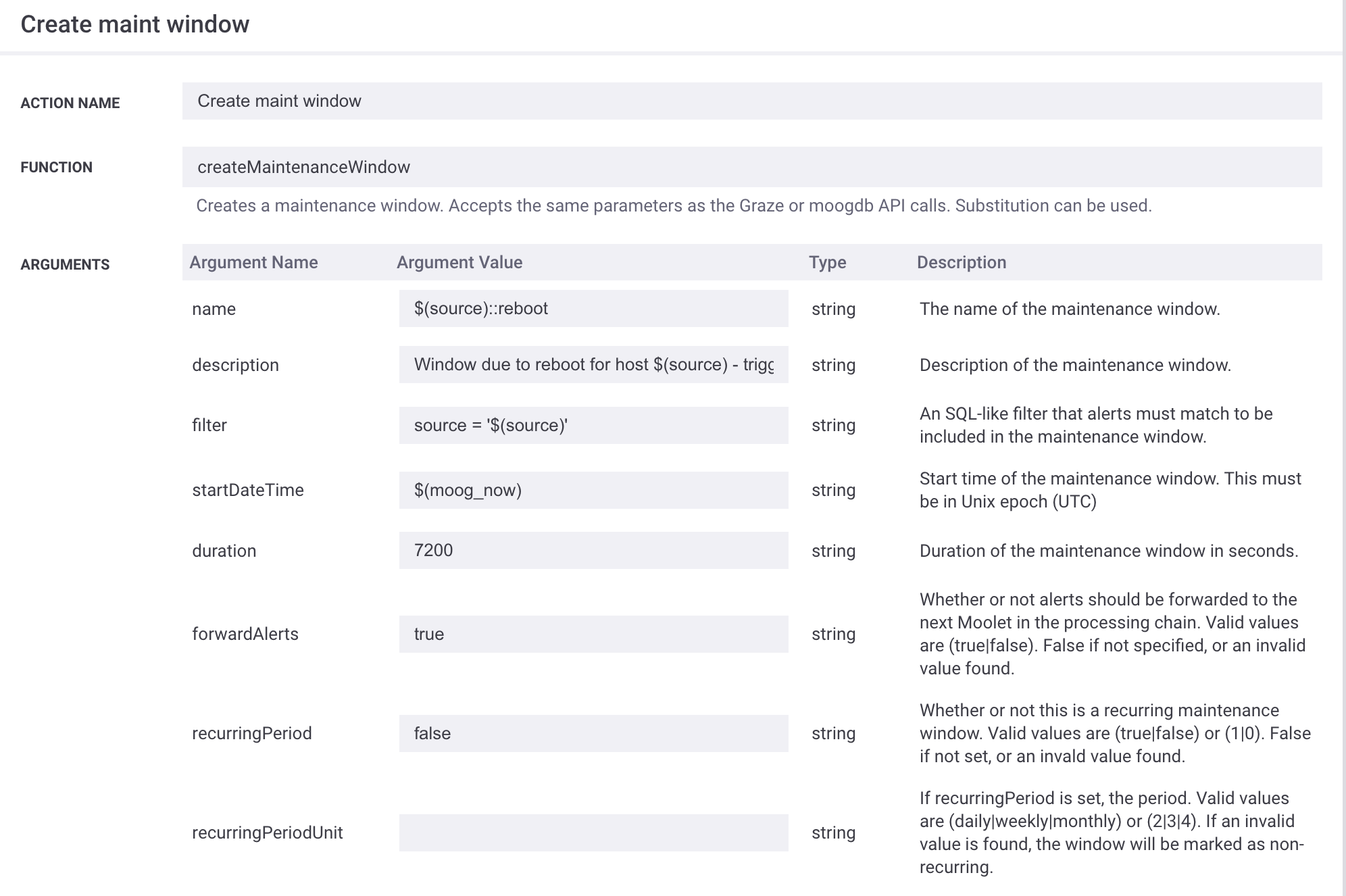
Configure an Alert Workflow Engine workflow scoped to the "Node rebooting" alert. Use the createMaintenanceWindow function to create a maintenance window named using the alert source, scoped to all alerts from the same source, with a duration of 2 hours.
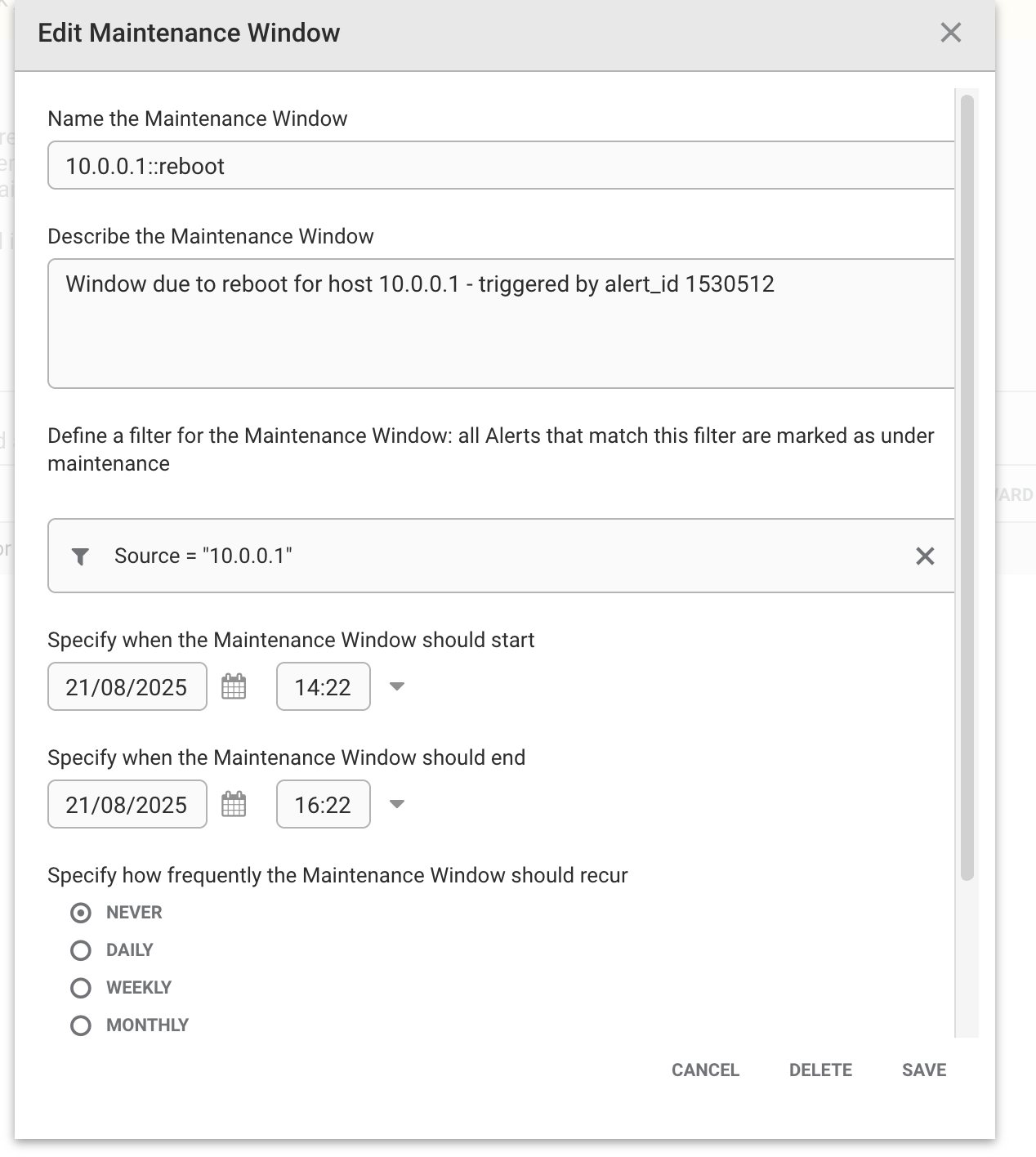
Creating the expected maintenance window:
An Event Workflow is scoped to "Node Reboot Complete" and uses the
deleteMaintenanceWindowfunction. Substitution variables are utilized to dynamically generate the maintenance window name.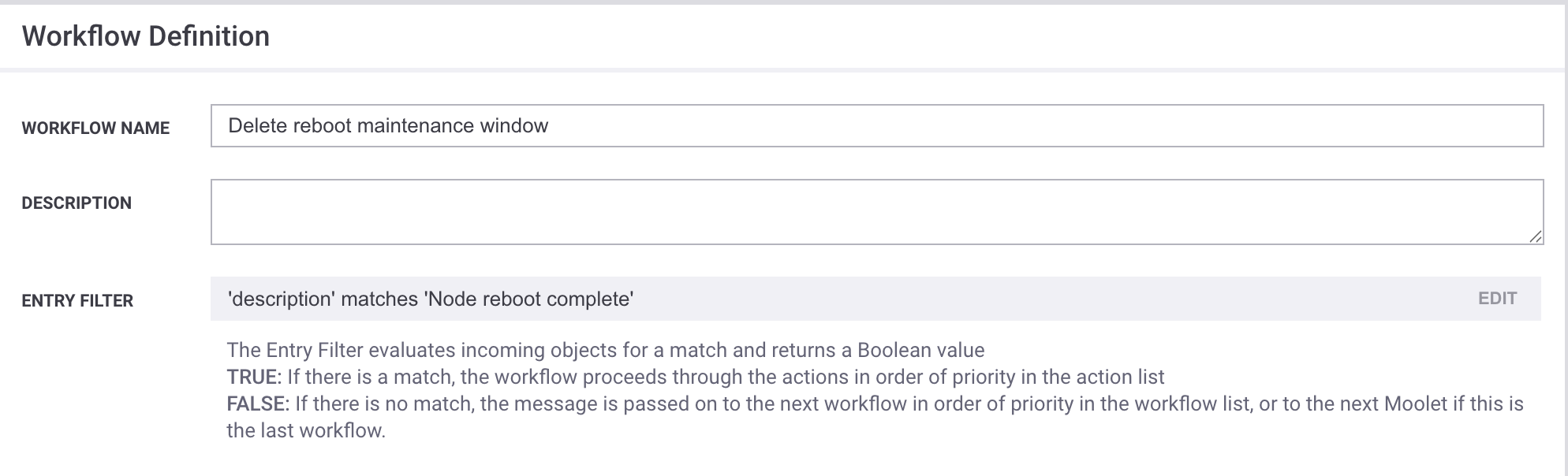
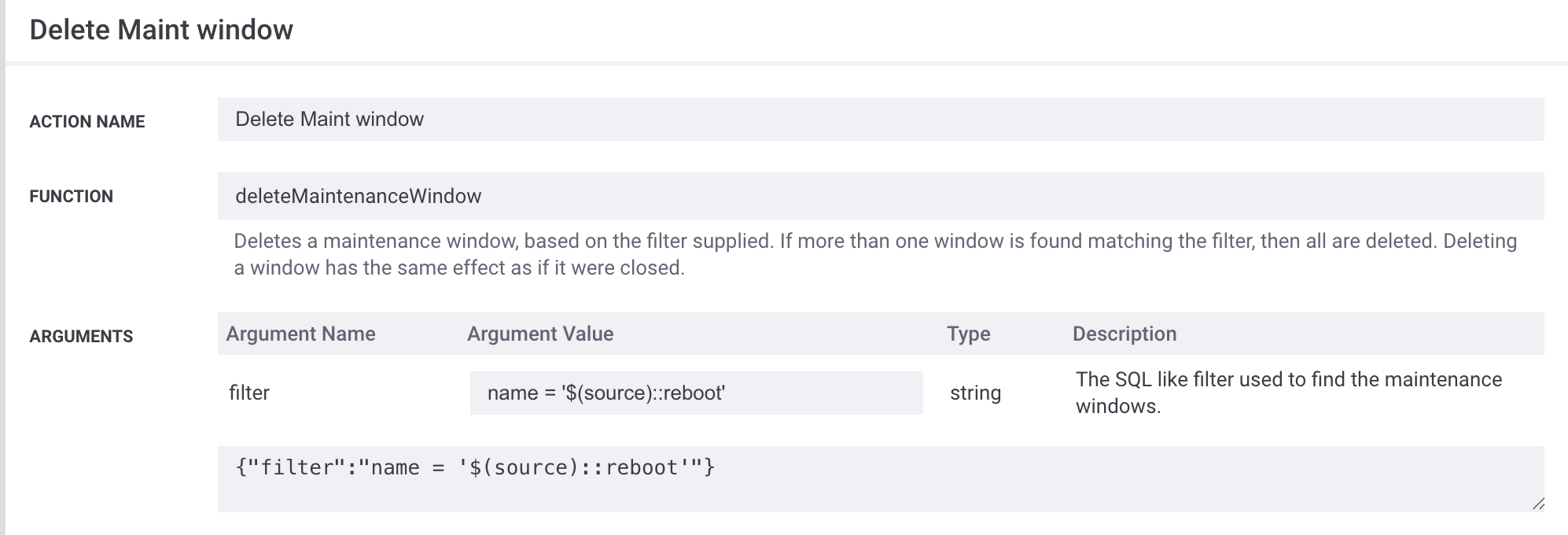
When a triggering "Node Reboot Complete" alert is received, the maintenance window is deleted, and any alerts impacted by the window are moved out of maintenance.
+|Event Workflows::deleteMaintenanceWindow: Action will be performed on 1 cevent objects|+
+|Event Workflows::deleteMaintenanceWindow: Trying to find maintenance windows with a filter of : name = '10.0.0.1::reboot'|+
+|Event Workflows::deleteMaintenanceWindow: Found 1 windows in scope of filter name = '10.0.0.1::reboot'|+
+|Event Workflows::deleteMaintenanceWindow: Attempting to delete maintenance window id : 43|+
+|Event Workflows::deleteMaintenanceWindow: Deleted all targeted maintenance windows|+
+|Event Workflows::deleteMaintenanceWindow: Exiting action with a status of true|+
Important
When using this workflow pattern, it is recommended to place the delete workflow in the Event Workflow to ensure it executes regardless of the maintenance window forwarding behavior.
If the workflow is configured in an Alert Workflow (for example, when the deleteMaintenanceWindow filter condition relies on enrichment data), the maintenance window's forwarding behavior must be set to true. Otherwise, the clearing alert will not trigger the workflow because it will be blocked by the Maintenance Window Manager.