getPreviousAlert
A Workflow Engine function that identifies the last closed alert with the same signature as the trigger and copies a defined set of attributes to the workflowContext.previousAlert object. The function supports an optional look back period, allowing it to search only within a specified number of seconds for the most recent matching alert.
This action can be used to surface repeating alerts that may have been closed prematurely, or to provide visibility into details of the previous alert and the Situations it was part of for diagnostic purposes.
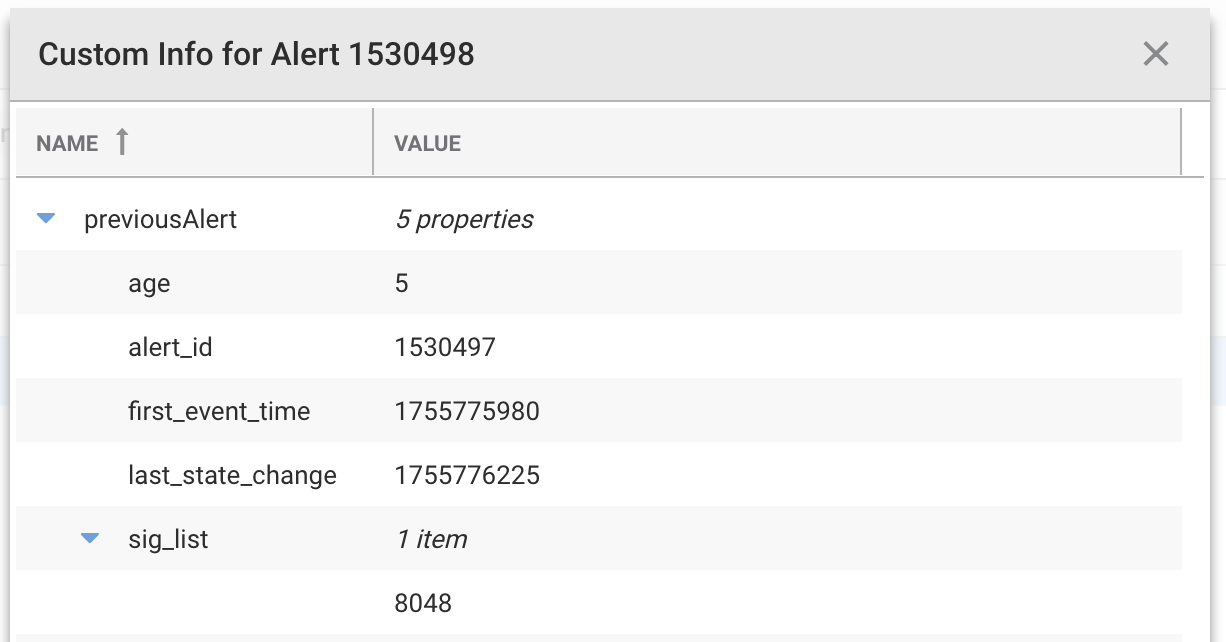
The previous alert details include:
age: Time in seconds since thelast_state_changeof the previous alert (typically the close time)alert_id: Thealert_idof the previous alert.first_event_time: The first event time of the previous alert.last_state_change: The last state change time of the previous alert.sig_list: The list of signatures the previous alert was part of (may be empty []).
This function is available as a feature of the Add-ons v2.7 download and later.
This function is available for alert workflows.
Back to Workflow Engine Functions Reference.
Arguments
Workflow Engine function getPreviousAlert takes the following arguments:
Name | Required | Type | Description |
|---|---|---|---|
| no | number | Specifies the |
Example
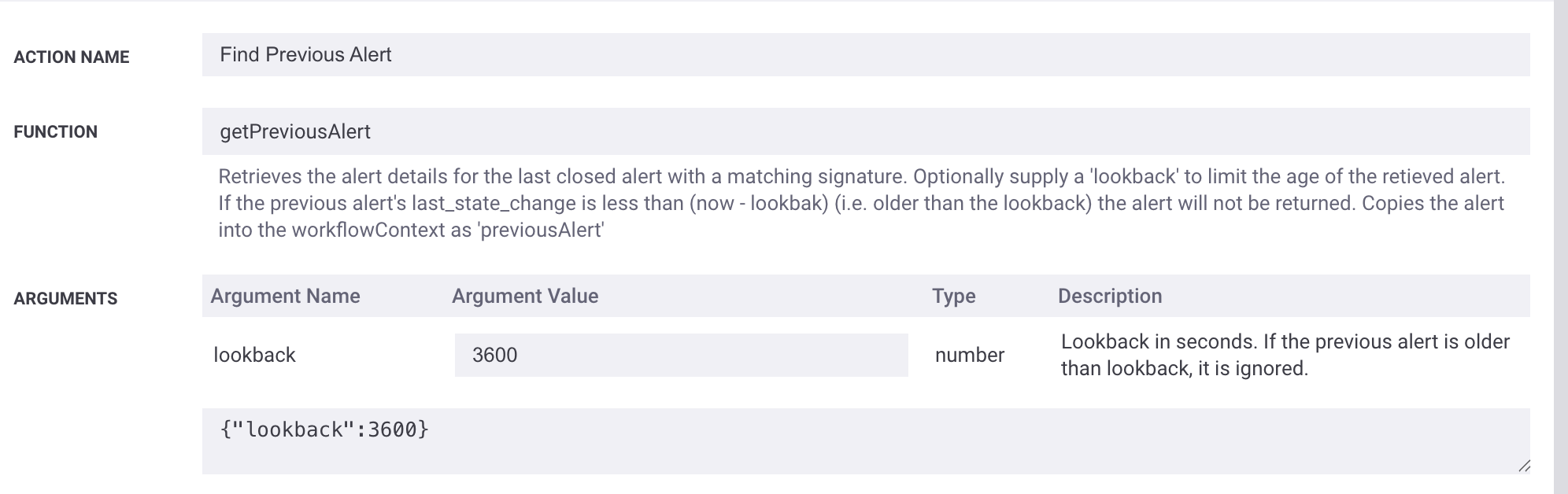
The following example demonstrates typical use of Workflow Engine function getPreviousAlert.
Given the following an action configuration:
 |
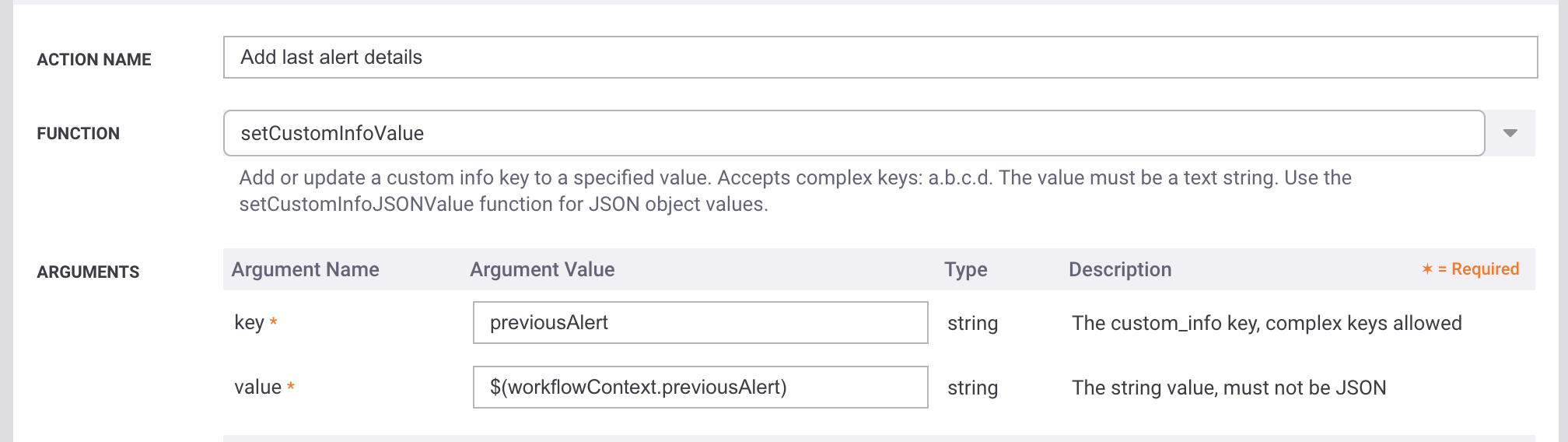
Used with a subsequent action to copy the previousAlert data from the Workflow Context to custom_info.
 |
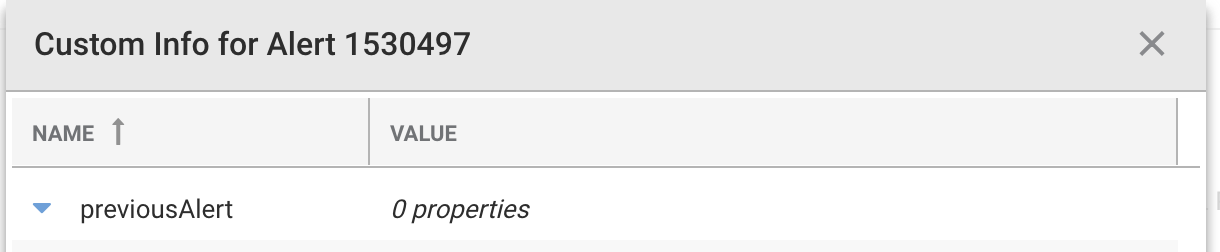
And a sequence of two alerts: one closed and one triggering the workflow.
In the first instance, no previousAlert data is available:
 |
A subsequent alert with the same signature includes the previousAlert data populated.
 |