Conditional Workflows
The Conditional Workflows integration (Workflow Integration tile) enables the creation of complex if / else if / else workflows. Each if, else if, or else clause can invoke a named Inform (standalone) workflow when its filter condition evaluates to true.
 |
Multiple conditional workflows can be defined, and the conditionalWorkflow Alert or Situation workflow action references the required workflow by name (see below).
Configuration
A conditional workflow always includes an if clause and an else clause, with an optional number of else if clauses. Clauses are evaluated in the configured order.
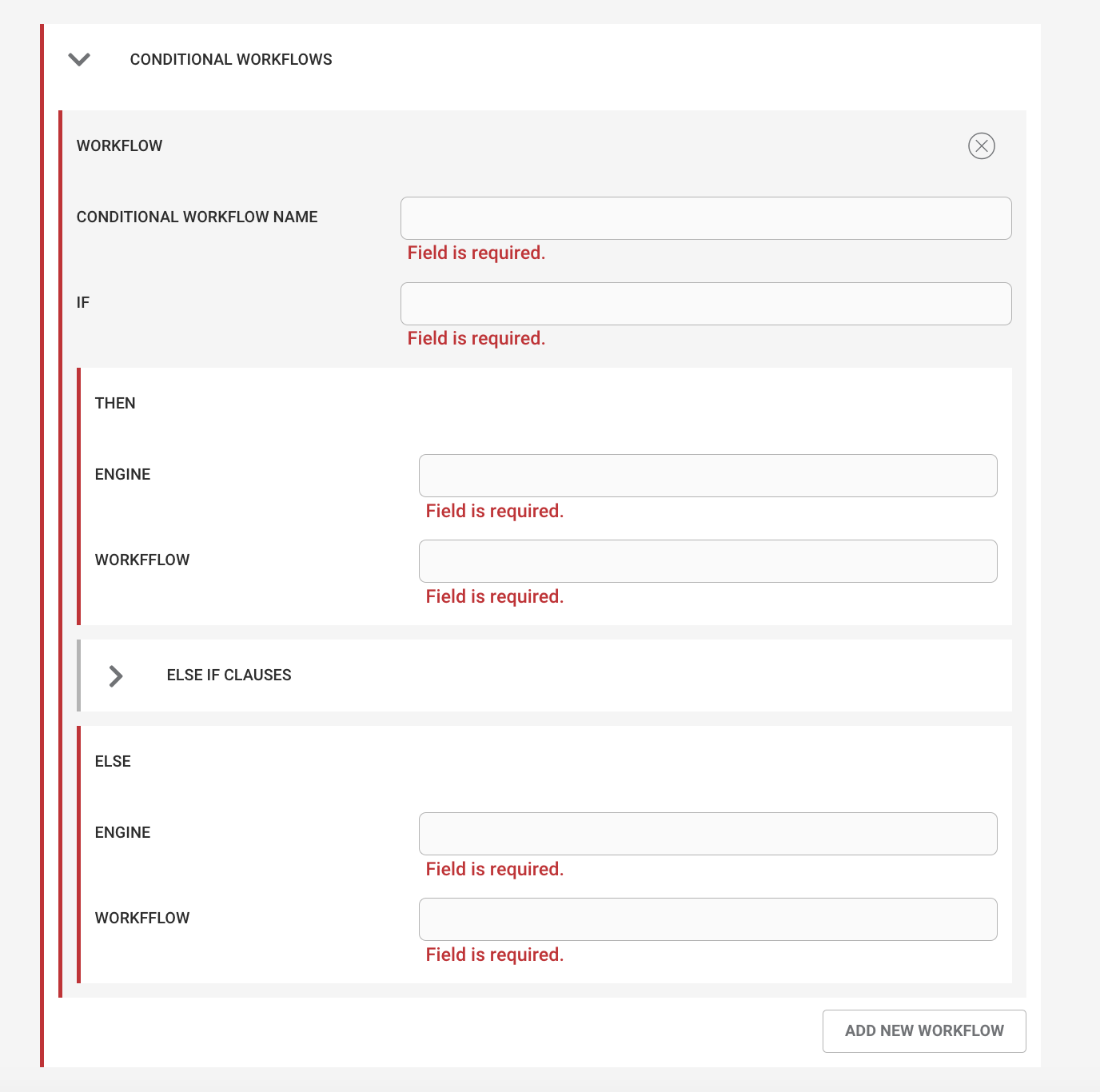 |
Config Field | Required | Description |
|---|---|---|
Name | yes | The name of the conditional workflow, referenced by the |
If | yes | A CEvent SQL-like filter condition (for example, severity > 5). |
Then: Engine | yes | The name of the Inform engine where the workflow runs if the |
Then: Workflow | yes | The name of the workflow to run if the |
Else If Clauses | no | Optional |
Else If: Engine | yes (when using an else if) | The name of the Inform engine where the workflow runs if the |
Else If: Workflow | yes (when using an else if) | The name of the workflow to run if the |
Else: Engine | yes | The name of the Inform engine where the workflow runs if neither the |
Else: Workflow | yes | The name of the workflow to run if neither the |
Example:
Consider the following use case:
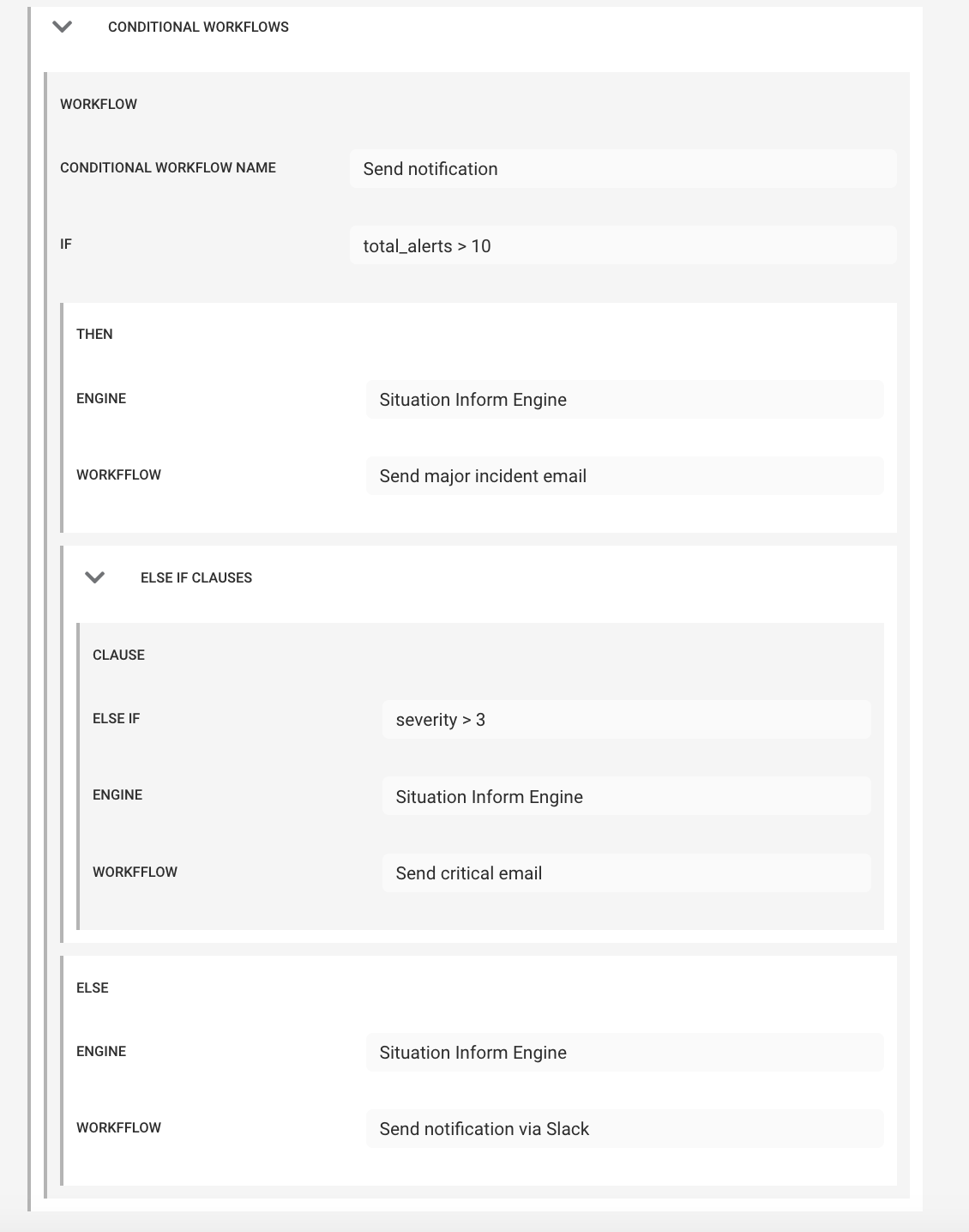
If a Situation contains more than 10 alerts, run the Send Major Incident Email workflow. If it does not contain more than 10 alerts but has a severity of Critical or Major, run the Send Critical Email workflow. Otherwise, run the Send Notification via Slack workflow.
The conditional workflow would be configured with an if clause, an else if clause, and an else clause, as shown below.
 |
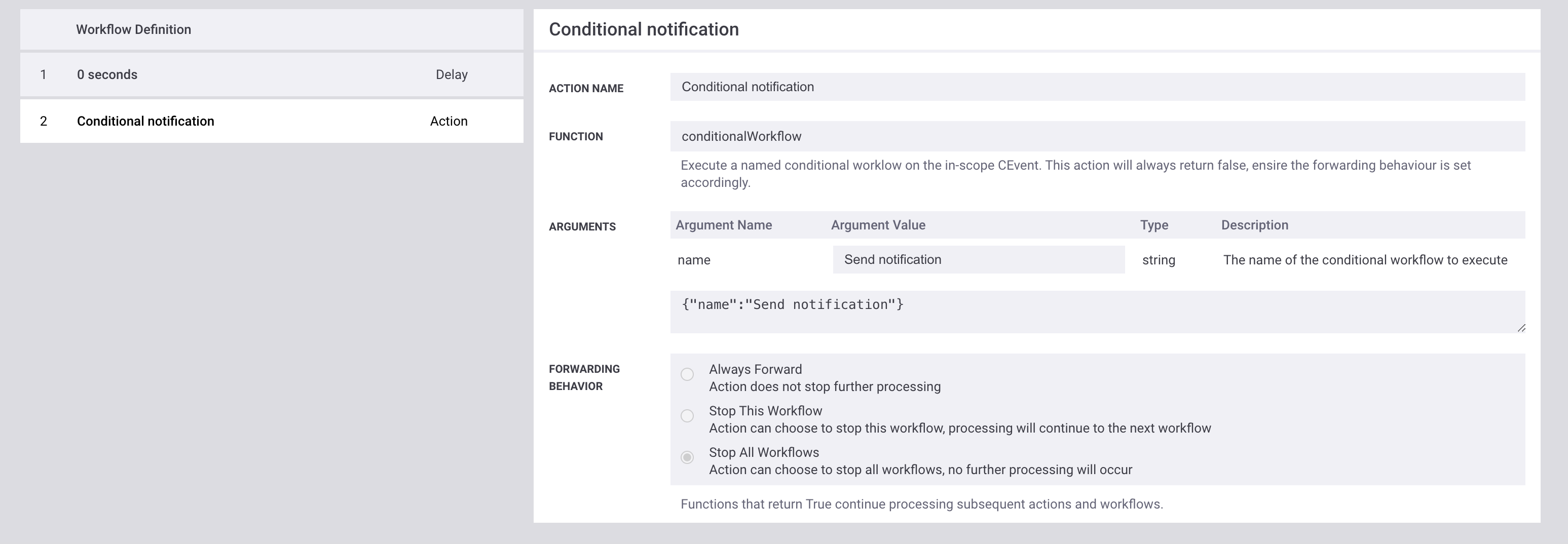
An associated workflow (in the Situation Workflow) would then reference this conditional workflow.
Note
The forwarding behavior is set to Stop All Workflows. This prevents parallel (concurrent) workflows from acting on the same CEvent object, which could lead to unintended consequences if multiple workflows update the CEvent object simultaneously.
If the conditional workflows do not update the CEvent object, set the forwarding behavior to Always Forward, as the conditionalWorkflow action always returns false.
 |