Situation Digest Configuration
This update enhances the Situation Digest action by enabling digest content configuration through the Additional Configuration Workflow Integration tile. It also supports multiple digests, allowing different digests to be used at various stages of a Situation's lifecycle.
A specific digest is referenced in the situationDigest function. If the specified digest cannot be found, the default digest content is generated.
Create a Named Digest
In the Additional Configuration tile, select Situation Digest from the list of available configurations.
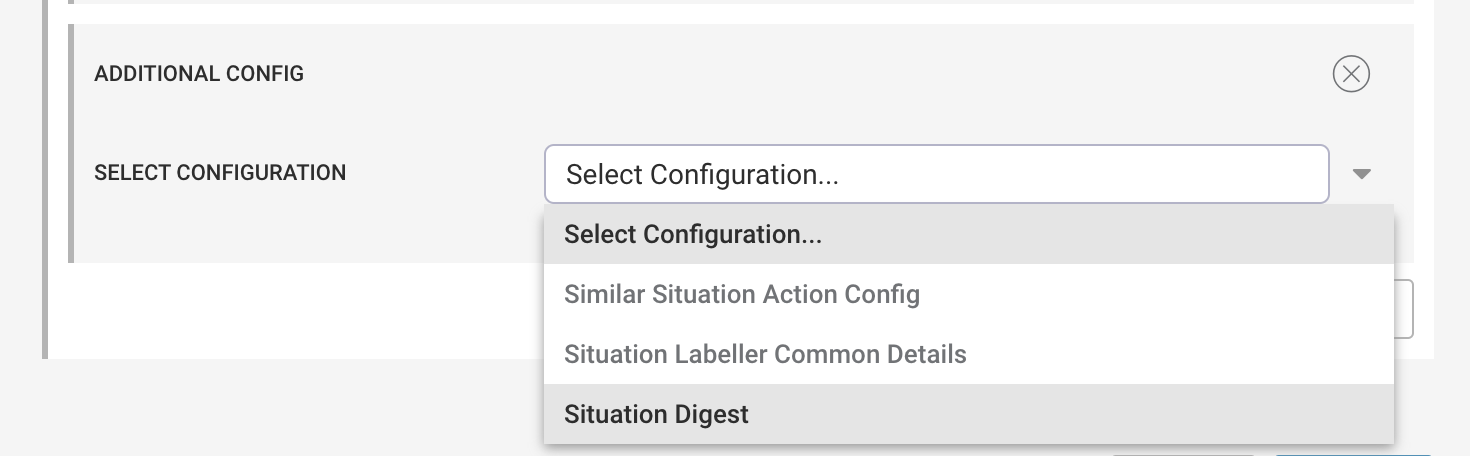 |
This displays the Situation Digest Configuration, which includes a required field for the digest name and a list of available digest content options.
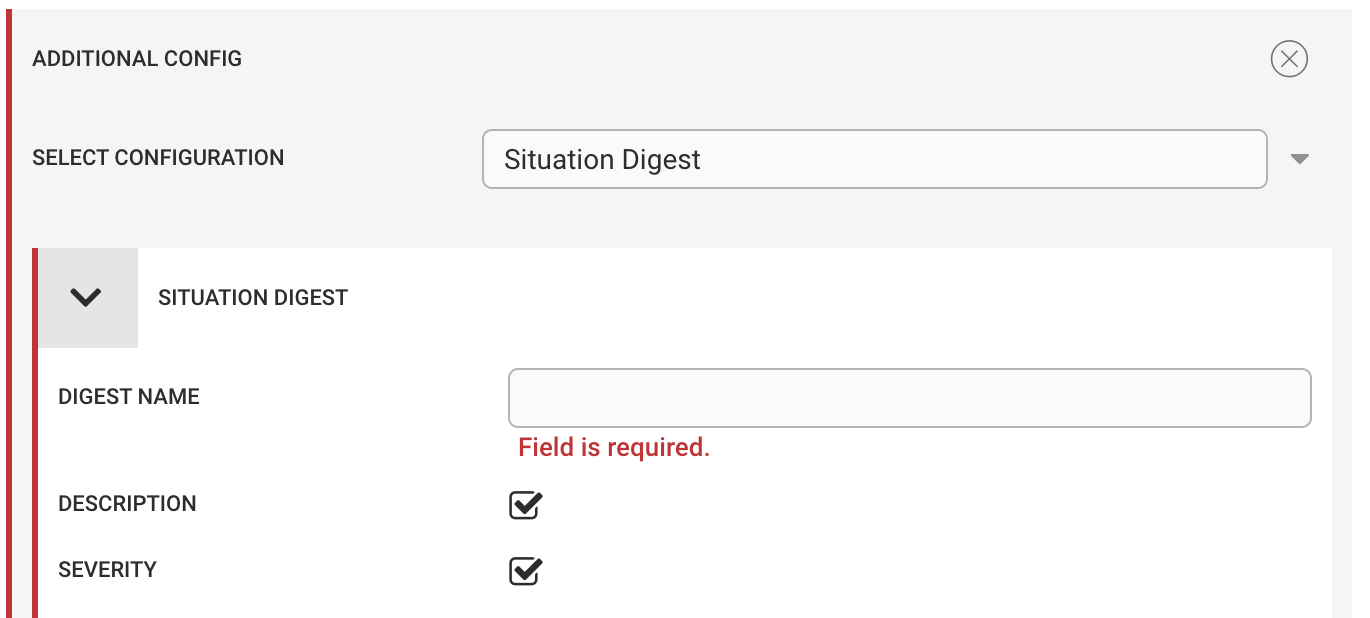 |
The following digest content options are available for selection:
Digest Key | Description | Default |
|---|---|---|
Situation ID | The Situation id (sig_id). Always included. | yes |
Description | The current Situation description (truncated to 256 characters). | yes |
Severity | The internal_priority value converted to a human-readable severity (for example, Clear or Critical). | yes |
Created At | The created_at timestamp displayed as a locale-specific date and time string (for example, 11 August 2022 at 11:45:49 BST). | yes |
Moderator Name | The full name of the current moderator. | yes |
Total Alerts | The total number of alerts in the Situation. | yes |
Total Unique Alerts | The total number of unique alerts in the Situation. | no |
Category | The current Situation category (for example, Closed or Superseded). | yes |
Status | The current status displayed as a human-readable value (for example, Closed, Resolved, or Assigned). | yes |
Thread Entries | The number of comments in the Collaboration tab. | yes |
Number of Impacted Services | The number of impacted services. | yes |
Impacted Services | A list of impacted services. | no |
Number of Impacted Teams | The number of impacted teams. | yes |
Impacted Teams | A list of impacted teams. | no |
Primary Team | The name of the primary team, or None if no primary team is set. | yes |
PRC Causal Alerts | The number of alerts in the Situation that are marked as causal. | yes |
PRC Symptom Alerts | The number of alerts in the Situation that are marked as symptoms. | yes |
PRC Unlabelled Alerts | The number of alerts that are not marked as either causal or symptoms. | yes |
PRC Alert | The alert ID and root cause probability percentage of the top PRC alert. If unavailable, no PRC alert is found. | yes |
Number of Impacted Hosts | The number of unique impacted hosts (alert sources) in the Situation. | yes |
Resolving Steps | Indicates whether the Situation contains one or more resolving steps (true or false). | yes |
Created By | The method used to create the Situation (for example, Cookbook or Manual Merge). | yes |
Cookbook Name | The name of the Cookbook that created the Situation. Available only when Created By is Cookbook. | yes |
Recipe Name | The name of the Recipe that created the Situation. Available only when Created By is Cookbook. | yes |
Reference Alert ID | The alert ID of the reference alert (the first alert in the Situation). | yes |
Rating | The Situation rating (0–5). | yes |
Custom Fields | Custom field values. See below. | no |
URL | A link to the Situation in the Moogsoft Onprem UI. Always included. | yes |
In addition to the predefined content items, you can add custom items that do not appear in the list, such as a custom_info field.
To include custom items, select Custom Fields. This opens the Custom Fields dialog.
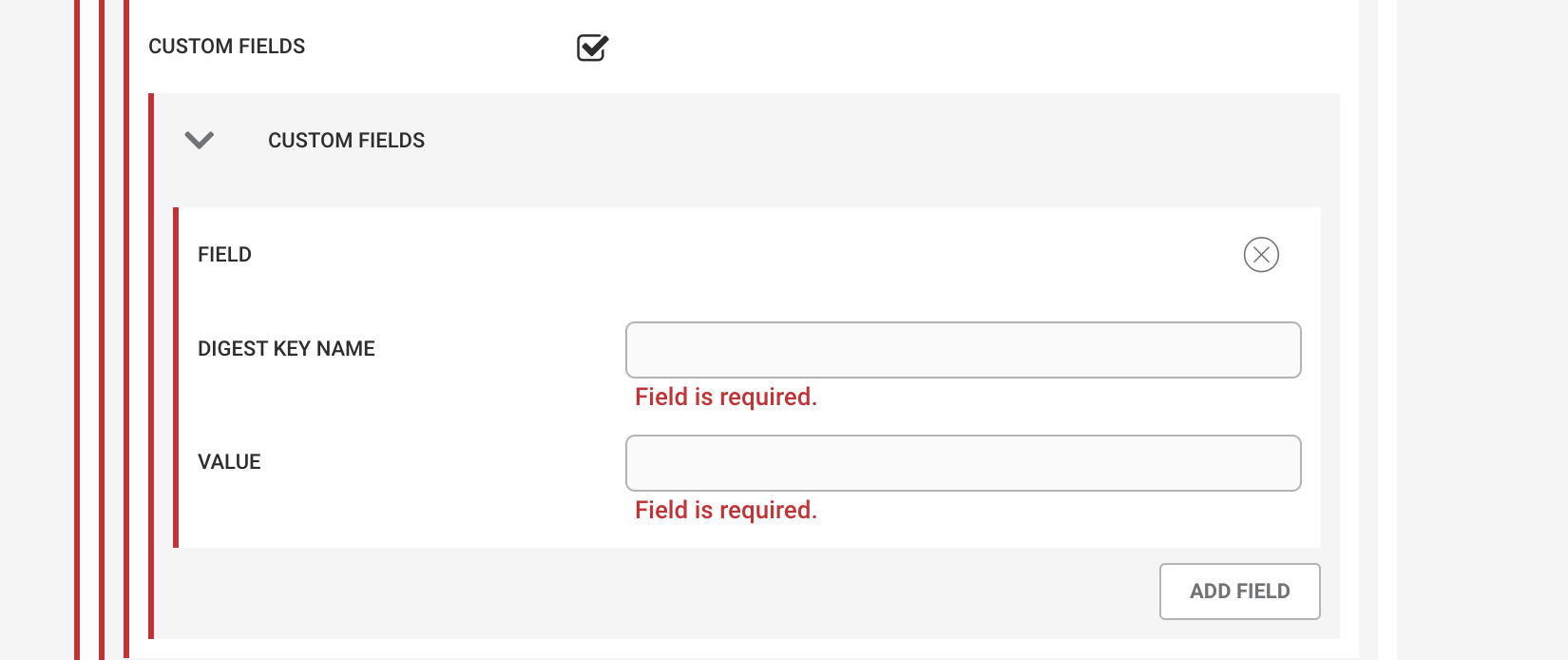 |
Multiple custom fields can be added, and each field requires a Digest Key name and a value. The value can be either a text string or a macro-based substitution value (see Payload Macros for more information).
For example, to add an item to the digest with the Digest Key "Locations" and the value "custom_info.locations", enter:
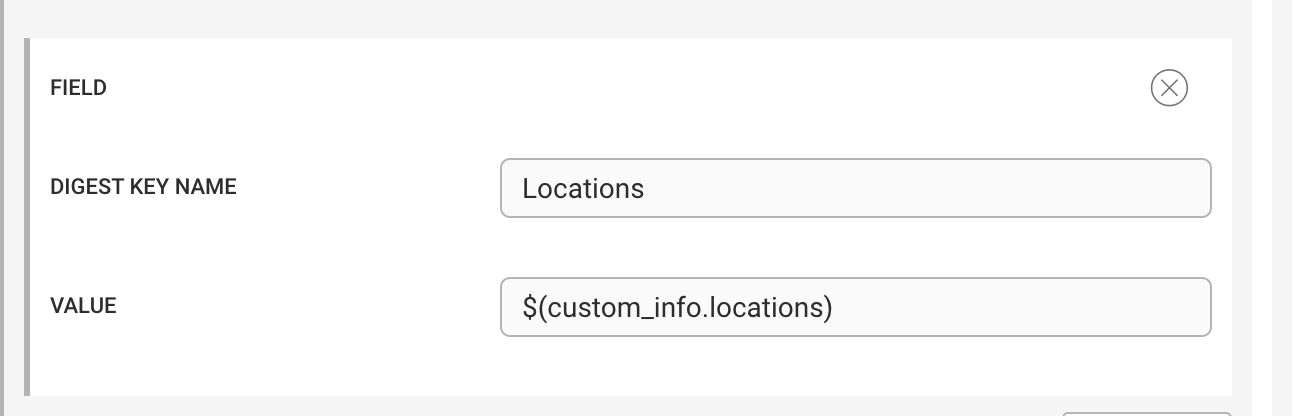 |
The resulting Digest object lists the contents of custom_info.locations under the key "Locations", alongside the other selected digest content items.
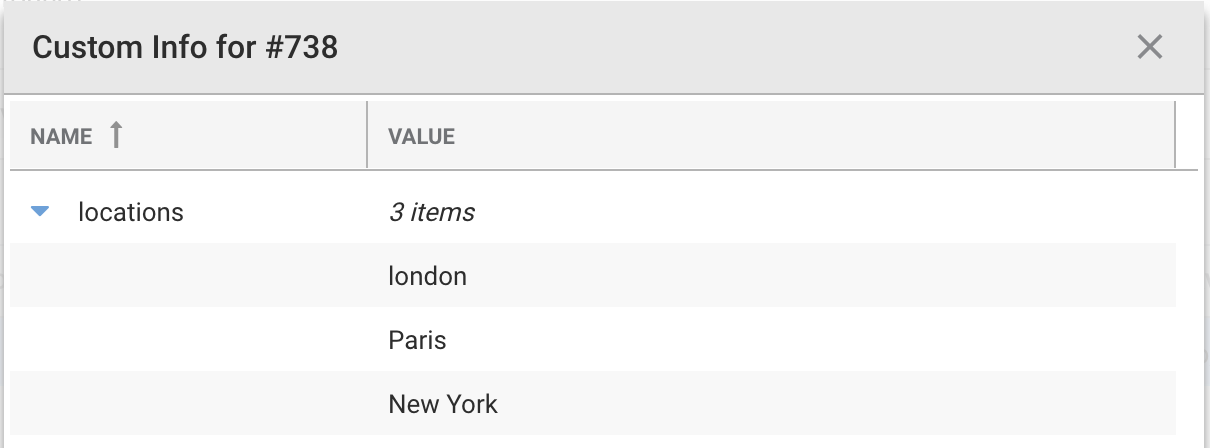 |
{
    "digest": {
        "Situation ID": 738,
        ...
        "URL": "https://moog8/#/situation/738",
        "Locations": [
            "london",
            "Paris",
            "New York"
        ]
    }
}
For example, to use a Digest configuration named "test" in the situationDigest action, specify the digest name as a parameter.
In the Additional Configuration tile, create a Situation Digest configuration named "test".
In the appropriate workflow engine, create a workflow and configure the
situationDigestaction as follows:situationDigestdigestName: test
{"digestName":"test1"}